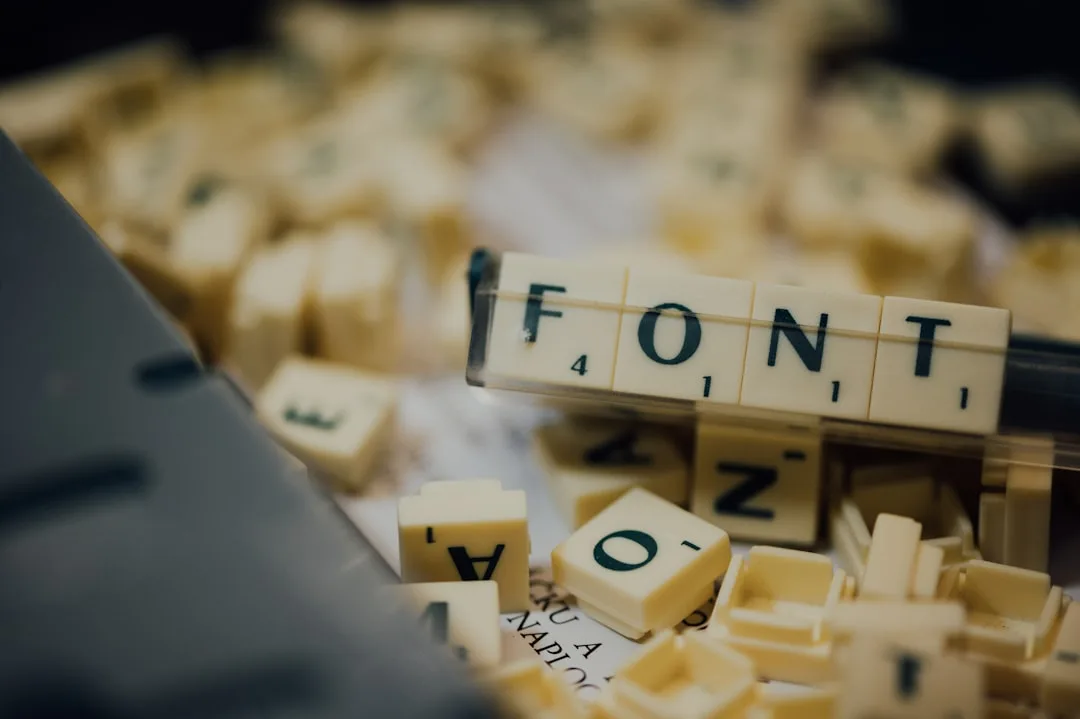
A font is not a single thing. It is a directory of tables, each storing a specific kind of information: glyph outlines, character mappings, metrics, layout features, hints, optional embedded bitmaps, and metadata. Converting a font means rewriting some or all of those tables into a different shape while preserving as much of the original behaviour as possible. Understanding what is actually inside a font file is what separates a successful conversion from one that strips kerning, breaks ligatures, or drops half the alphabet.
This guide walks through the structure of an OpenType file, the specific things that happen when converting between formats, the tools that do the work reliably, and the verification steps that catch silent regressions before they ship.
The Anatomy of an OpenType Font
OpenType is the unified font specification co-developed by Microsoft and Adobe and standardised as ISO/IEC 14496-22. A .ttf or .otf file is a directory of tables identified by four-character tags. Required tables for a standard text font include the following.
| Table | Purpose |
|---|---|
| cmap | Maps Unicode codepoints to glyph indices |
| glyf or CFF/CFF2 | Stores outline data (quadratic for glyf, cubic for CFF) |
| head | Global font header, version, units per em |
| hhea | Horizontal header, ascent, descent, line gap |
| hmtx | Horizontal metrics per glyph (advance width, side bearing) |
| maxp | Maximum profile (number of glyphs and other limits) |
| name | Human-readable strings (family name, version, copyright) |
| OS/2 | Windows-specific metrics, weight, width, panose |
| post | PostScript-related information for older systems |
A font conversion is, at its core, an operation on this directory of tables. Some tables are copied directly. Some are rewritten in a different format. Some are dropped or recalculated. The quality of the conversion depends on how well each table is handled.
"Most font format problems are not problems with the format. They are problems with what was kept and what was lost in conversion. The format is a wrapper. The tables are the substance." Behdad Esfahbod, lead developer of HarfBuzz
What Happens in a TTF to OTF Conversion
TTF stores outlines as quadratic Bezier curves. OTF (CFF flavour) stores them as cubic Bezier curves. Converting TTF to OTF is mathematically lossless because every quadratic curve has an exact cubic equivalent. The conversion writes the glyf table's outlines into a new CFF table while preserving control points and tangents.
The fontTools library does this in one command.
fonttools ttLib --flavor=otf input.ttf -o output.otf
OTF to TTF is the harder direction. Cubic curves cannot always be represented exactly as a single quadratic. Conversion approximates each cubic with one or more quadratics, introducing typical error of less than half a font unit (0.05 em at 1000 units per em). The visible effect is undetectable at body sizes and almost undetectable at display sizes, but the file is no longer a perfect mathematical reproduction of the original.
fonttools ttLib --flavor=ttf input.otf -o output.ttf
For fonts that will be used at display sizes or in animated contexts where micro-changes might compound, prefer the original CFF source if available rather than a converted TTF.
What Happens in a TTF/OTF to WOFF2 Conversion
WOFF2 is OpenType data wrapped in Brotli compression. The conversion is lossless. Every table is preserved bit for bit; the wrapper just compresses better.
fonttools ttLib --flavor=woff2 input.ttf -o output.woff2
The Brotli compression is tuned for the regularities of OpenType data structures, achieving 25 to 35 percent better compression than the older zip-based WOFF. Decompression is fast enough that browsers do not need to cache decompressed copies; they decompress on demand.
A WOFF2 file is identical to its TTF or OTF source after decompression. Converting WOFF2 back to TTF or OTF using fontTools recovers the original bytes.
The Subsetting Operation
Subsetting removes glyphs the project does not need. The operation is more involved than simply deleting entries because OpenType tables reference glyphs by index, and those indices must stay consistent.
Subsetting performs the following steps.
| Step | What It Does |
|---|---|
| Determine target codepoints | From explicit list, content scan, or unicode-range |
| Walk cmap to identify needed glyph indices | Includes glyph-by-feature dependencies |
| Trace GSUB and GPOS to include feature dependencies | Ligatures, alternates, kerning groups |
| Filter glyf or CFF to keep only needed outlines | Compact remaining glyph indices |
| Rewrite cmap, hmtx, vmtx with new indices | Maintain consistency |
| Recompute maxp and other limit tables | New maximum values |
| Optionally drop unused layout features | Smaller file at cost of some functionality |
pyftsubset Inter.ttf \
  --output-file=Inter.subset.woff2 \
  --flavor=woff2 \
  --layout-features='*' \
  --unicodes='U+0000-007F,U+00A0-00FF,U+2000-206F'
The layout-features='*' argument preserves all GSUB and GPOS features. Without it, pyftsubset retains only a default subset, which can silently strip kerning or stylistic features.
"Subsetting is one of the few cases where the defaults are wrong for most users. The tool ships with conservative defaults that drop layout features. Always pass --layout-features='*' unless you have a specific reason to strip them." Cosimo Lupo, font engineer at Google Fonts
Hinting and the Conversion Question
Hinting is a set of instructions inside the font that tells the rasteriser how to adjust glyph rendering at small sizes. Two flavours exist.
TrueType hinting is a stack-based bytecode language. Hints are stored in the prep, fpgm, and cvt tables, with per-glyph instructions in the glyf table. TrueType hinting is precise and powerful and is what makes Microsoft's classic fonts (Verdana, Georgia, Tahoma) render so crisply on Windows ClearType.
PostScript hinting (used in CFF) is declarative. It declares zones (regions where stems should align) rather than imperative bytecode. The CFF rasteriser in macOS, iOS, and most modern engines applies these hints automatically.
When converting between TTF and OTF, hinting does not survive cleanly. TrueType bytecode does not translate to PostScript hints. PostScript hints can be approximated as TrueType bytecode but only crudely. Most conversion tools strip hints during conversion and rely on the rasteriser's autohinter to fill in.
For modern fonts designed at standard text sizes (16-18 px on screen), the loss is barely perceptible. For fonts designed with detailed hand hinting for small sizes (Verdana at 10 px), the conversion may render visibly worse on Windows.
The practical guidance: keep the original TTF for use on Windows, and accept that derivatives lose some hinting fidelity.
Variable Font Conversion
Variable fonts add the fvar table (declares axes), gvar table (stores variation data per glyph for TrueType outlines), and CFF2 (the variable-aware version of CFF). Converting a static font to a variable font requires designing the variation deltas, which is a type-design operation, not a format conversion.
Converting a variable font to static (instancing) is straightforward. The fontTools varLib.instancer module produces a static version at any point along the axes.
fonttools varLib.instancer InterVariable.ttf wght=600 wdth=100 -o Inter600.ttf
This produces a static Inter at weight 600 and normal width. The variable-axis metadata is removed and the resulting file is a regular TTF. Useful when targeting environments that do not support variable fonts (older Office versions, some PDF renderers).
The reverse direction (combining static masters into a variable font) requires fontmake or the GlyphsApp variable-export tooling. The masters need consistent glyph counts and compatible outlines, which is why variable fonts are typically designed as variable from the start rather than retrofitted.
"A variable font is a coordinate system. The masters are points in that system. You do not bolt a coordinate system onto an existing family; you design the family inside it from day one." David Berlow, type designer at Font Bureau
Tools for Font Engineering
Three categories of tool cover most font conversion work.
| Tool | Type | Strengths |
|---|---|---|
| fontTools (Python) | Programmatic library | Every operation, scriptable, free |
| FontForge | GUI editor | Free, full editing, runs on every OS |
| Glyphs (Mac) | Commercial editor | Smoothest workflow, used by professional foundries |
| FontLab Studio | Commercial editor | Cross-platform, deep feature support |
| RoboFont | Commercial editor | Mac, Python-extensible |
from fontTools.ttLib import TTFont

font = TTFont('input.ttf')
print(f"Number of glyphs: {font['maxp'].numGlyphs}")
print(f"Family name: {font['name'].getName(1, 3, 1, 0x409)}")
print(f"Has variable axes: {'fvar' in font}")
font.saveXML('input.ttx')
The TTX format converts a binary font to and from a readable XML representation, which makes diffs and version control practical.
The asset pipelines documented at File Converter Free wrap these tools for common workflows when designers hand off TTF or OTF and need clean WOFF2 derivatives, and the publishing rhythms at When Notes Fly cover the cadence small teams use to keep font assets fresh across redesigns.
Validation: What to Check After Conversion
A converted font that loads and renders one word may still be subtly broken. Five validation passes catch the most common regressions.
First, run fontTools' fontbakery linter. It applies the OpenType specification's required checks plus Google Fonts' quality checks for foundries that follow that style.
Second, render a comprehensive test page. Strings to include: pangrams in target languages, common ligature pairs (fi, fl, ffi, ffl), kerning pairs (Av, Wa, Yo, To), special punctuation (em-dash, en-dash, smart quotes), and numerals in tabular contexts (12,345.67).
Third, compare metrics with the source. The maxp, hhea, and OS/2 tables should declare consistent ascent and descent values. Mismatches cause baseline drift between platforms.
Fourth, verify layout features by typing a string that exercises them. Stylistic alternates, small caps, old-style figures, fractions: each should activate correctly under the appropriate CSS or app setting.
Fifth, check file size against expectations. A subsetted Latin variable font should land near 80 to 120 KB. A full-character variable font lands near 300 to 400 KB. Files significantly larger than the expected range suggest unused tables that subsetting missed.
"Validation is not optional. It is the only thing standing between you and a font that ships looking fine and breaks the moment somebody types a fraction or an italic word in a different language." Dave Crossland, programme manager at Google Fonts
Common Conversion Failures
Six failure modes account for most conversion bugs.
Stripped GPOS. The kerning is gone. Symptoms: pairs like Av, Wa, To look loose. Fix: rerun the conversion with explicit layout-features inclusion.
Stripped GSUB. Ligatures fail. Symptoms: fi, fl render as separate letters. Fix: same as above.
Wrong cmap. Some characters render as boxes (.notdef glyphs). Symptoms: specific Unicode ranges show empty rectangles. Fix: confirm the unicodes argument covers needed ranges.
Outline approximation error. Glyphs look slightly off. Symptoms: subtle differences from the source, often visible only side by side. Cause: cubic to quadratic conversion. Mitigation: keep CFF source for display use.
Missing autohint. Render fuzzy at small sizes. Symptoms: 12 px text on Windows looks soft. Fix: rerun conversion with autohinting enabled.
Variable axis lost. Variable font becomes static. Symptoms: font-weight produces only fallback rendering. Cause: subset tool dropped fvar table. Fix: verify fvar present in output, use a tool version with variable support.
Each is recoverable with a corrected conversion. Catching them requires the validation pass above.
Cross-Platform Edge Cases
Three edge cases consistently catch new font engineers.
Windows DirectWrite uses the OS/2 table's usWinAscent and usWinDescent for line height. macOS CoreText uses the hhea table's ascent and descent. If the two are inconsistent, lines render at different heights on the two platforms. Modern foundries set them equal.
Android prior to API 26 ignored OpenType layout features in many situations. Apps targeting old Android versions need either feature-baked-in rendering (HarfBuzz embedded in the app) or simplified fonts.
PDF embedding subsets fonts on the fly when generating PDFs. The subsetting tool inside Acrobat or wkhtmltopdf may not preserve all OpenType features. For PDF generation that needs full feature support, use a server-side toolchain (Prince, Vivliostyle, Paged.js) that embeds fonts properly.
The cross-jurisdiction product compliance discussion at Corpy covers the embedding-licence considerations that come with PDF generation in business workflows, and the design fundamentals at Evolang cover the editorial decisions that benefit from OpenType features such as old-style figures and small caps.
A Practical Conversion Workflow
For a typical project converting a desktop OTF master into a web-ready WOFF2 plus a static instance for legacy embedding.
- Start with the foundry-supplied OTF or TTF master. Verify the licence permits web embedding.
- Run fontbakery to confirm the source is well formed.
- Use pyftsubset with --layout-features='*' to subset to the unicode ranges the project actually needs.
- Output WOFF2 with --flavor=woff2.
- For variable fonts, instance a static fallback at the most common weight (typically 400 or 500) for environments that do not support variable fonts.
- Render the validation test page and compare visually with the source.
- Confirm file sizes against the expected budget.
- Commit the source, the subsetting parameters, and the output to version control. The output should be reproducible from the source.
This workflow is short enough to run for every font asset and reliable enough that errors get caught at conversion time rather than at user-rendering time.
OpenType Layout Features in Detail
The GSUB and GPOS tables together implement OpenType's layout-feature system, which is what gives modern type its sophistication. Features are identified by four-character tags and activated by the rendering engine based on script, language, and explicit author requests through CSS or app-level controls.
The features that appear in nearly every well-engineered modern font.
| Tag | Name | Effect |
|---|---|---|
| kern | Kerning | Spacing adjustments between specific pairs |
| liga | Standard ligatures | fi, fl, ffi joined as single glyphs |
| dlig | Discretionary ligatures | Decorative ligatures activated by author choice |
| smcp | Small capitals | Lowercase replaced with smaller capital glyphs |
| onum | Old-style figures | Numbers with descenders and ascenders |
| tnum | Tabular figures | Fixed-width numbers for column alignment |
| frac | Fractions | Numerator and denominator joined with diagonal |
| ss01 to ss20 | Stylistic sets | Designer-defined alternate forms |
| salt | Stylistic alternates | Single alternate per glyph |
| locl | Localised forms | Script and language-specific glyph variants |
.tabular { font-variant-numeric: tabular-nums; }
.smallcaps { font-variant-caps: small-caps; }
.fancy { font-feature-settings: 'ss03' on, 'dlig' on; }
When converting fonts, layout features survive cleanly only if the converter preserves the GSUB and GPOS tables. The pyftsubset --layout-features='*' flag is the standard way to ensure no features are silently stripped.
Working with the Name Table
The name table carries human-readable strings: family name, style name, version, copyright, designer, foundry URL, licence URL, and several more. The table is structured by platform, encoding, language, and name ID, which means the same string can appear in multiple variants for different operating systems.
A common conversion error is producing a font whose name table conflicts with another font already installed. The Family Name field (name ID 1) and Subfamily Name (name ID 2) together must be unique across the user's font library. Two installed fonts with the same family and subfamily names cause unpredictable rendering.
When customising or rebranding a font (within the licence's permission), update the name table consistently across all relevant name IDs. fontTools' name-table editor handles this cleanly.
from fontTools.ttLib import TTFont
font = TTFont('input.ttf')
font['name'].setName('Acme Sans', 1, 3, 1, 0x409)
font['name'].setName('Acme Sans Regular', 4, 3, 1, 0x409)
font['name'].setName('AcmeSans-Regular', 6, 3, 1, 0x409)
font.save('output.ttf')
The platform 3 (Windows), encoding 1 (Unicode BMP), language 0x409 (English US) tuple is the most widely respected. Modern tools also write platform 0 (Unicode) entries for cross-platform compatibility.
References
- International Organization for Standardization. (2019). ISO/IEC 14496-22:2019 Open Font Format. https://www.iso.org/standard/74461.html
- Microsoft Typography. (2024). OpenType Specification 1.9. https://learn.microsoft.com/en-us/typography/opentype/spec/
- World Wide Web Consortium. (2018). WOFF File Format 2.0. https://www.w3.org/TR/WOFF2/
- fontTools project. (2024). fontTools documentation. https://fonttools.readthedocs.io/
- Adobe Systems Incorporated. (2003). The Compact Font Format Specification. https://adobe-type-tools.github.io/font-tech-notes/pdfs/5176.CFF.pdf
- Google Fonts. (2024). Font Bakery quality assurance. https://github.com/fonttools/fontbakery
- Esfahbod, B. (2014). HarfBuzz Manual. https://harfbuzz.github.io/
- FontForge project. (2024). FontForge documentation. https://fontforge.org/docs/
Frequently Asked Questions
What Happens in a TTF to OTF Conversion?
TTF stores outlines as quadratic Bezier curves. OTF (CFF flavour) stores them as cubic Bezier curves. Converting TTF to OTF is mathematically lossless because every quadratic curve has an exact cubic equivalent. The conversion writes the glyf table's outlines into a new CFF table while preserving control points and tangents.
What Happens in a TTF/OTF to WOFF2 Conversion?
WOFF2 is OpenType data wrapped in Brotli compression. The conversion is lossless. Every table is preserved bit for bit; the wrapper just compresses better.
Related Articles
Ready to Convert Your Files?
Use our free online file converter supporting 240+ formats. No signup required, fast processing, and secure handling of your files.
Convert Files