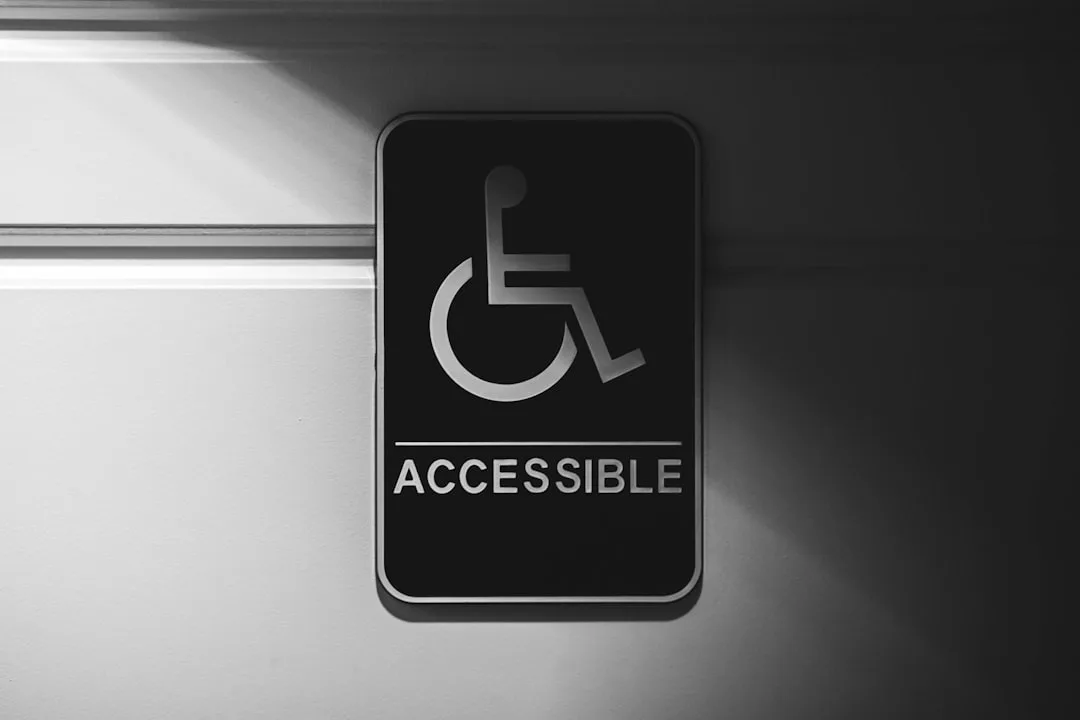
Most accessibility failures are not authored on purpose. They arrive in the inbox of an organization as a perfectly readable Word document, a beautifully designed PowerPoint deck, or a print-quality PDF, and become inaccessible the moment they are converted, archived, or republished without the metadata that screen readers and other assistive technologies depend on. File conversion is the chokepoint where accessibility either survives or dies. The conversion step is, in practice, where most of the remediation work actually happens.
The implicit assumption in many production pipelines is that conversion is a neutral act: bytes go in, equivalent bytes come out, only the wrapper changes. This is not true. Every conversion either preserves, recovers, or destroys structural information. A DOCX with proper heading styles converted to HTML by a structure-aware tool produces an accessible page. The same DOCX converted by a tool that flattens headings to bold paragraphs produces a wall of text. The technical capability exists in both tools; the difference is configuration and the editorial discipline that surrounds the conversion.
What Accessibility Actually Requires From a File Format
A file is accessible to assistive technology when three conditions hold: the structure of the document is encoded explicitly, the non-text content has text alternatives, and the language and presentation choices are declared rather than inferred. The Web Content Accessibility Guidelines distill this into four principles, perceivable, operable, understandable, and robust, but for the file conversion question those four reduce to a more practical test. Can a screen reader announce the document outline? Can the user reach any heading in three keystrokes? Are the figures described in words?
<!-- Inaccessible -->
<p style="font-size:24px;font-weight:bold">Chapter Three</p>
<p>The map maker began...</p>

<!-- Accessible -->
<h1>Chapter Three</h1>
<p>The map maker began...</p>
Both render identically in a graphical browser. Only the second can be navigated by a screen reader user. The first is technically valid HTML and visually correct; it is also functionally inaccessible. Conversion tools that emit the first form because they preserve visual fidelity but discard structural metadata are the single biggest source of accessibility regressions in production environments.
"Structure is not decoration. It is the bones of the document. A converter that flattens structure has produced a corpse, however well it lies in state." Léonie Watson, Accessibility for Everyone
Where Conversions Strip Accessibility
Five common conversion paths account for most accessibility loss in real organizations. Knowing the failure modes lets editorial teams target remediation effort precisely.
The PDF-to-PDF case looks identical but rarely is. A tagged PDF authored from InDesign or Word with accessibility settings enabled carries a tag tree readable by JAWS and NVDA. The same PDF re-exported through a print driver, scanned to PDF, or compressed by a generic optimizer typically loses its tag tree and becomes effectively unreadable. The fix is to require source files for any accessibility remediation rather than working from PDFs themselves.
The DOCX-to-PDF case fails when the Word document used direct formatting instead of styles. Word's built-in accessibility checker runs in the same dialog as Spelling and Grammar, but most authors never open it. The conversion to PDF then lacks heading tags, alt attributes, and table headers, and the resulting PDF has to be remediated tag by tag in Acrobat Pro, which costs hours per document.
The PowerPoint-to-anything case is brutal. Slide decks rely heavily on visual layout, free-floating text boxes, and decorative elements. Converted to PDF without remediation, they expose the slide title, the body text, and a forest of empty graphics frames in arbitrary order. Converted to HTML by most tools, they produce nested divs that no screen reader can usefully outline. The realistic answer is to author slides with the slide layouts that PowerPoint or Google Slides provides and to add alt text in the source rather than expecting the converter to invent it.
The image-to-text case via OCR is genuinely useful for accessibility because it transforms image-only PDFs into searchable, selectable text. But OCR without language detection produces garbled output, and OCR without table recognition produces unreadable cell-by-cell streams. The conversion settings matter as much as the engine.
The HTML-to-PDF case is the classic accessibility regression in modern web archives. A clean HTML page becomes a flat PDF the moment a print driver intercepts it. PDF generators based on Chromium with the PDF/UA flag enabled preserve structure; generators that screenshot pages destroy it.
| Conversion Path | Common Failure | Reliable Tool / Setting |
|---|---|---|
| DOCX to HTML | Headings flattened to bold paragraphs | Pandoc with --from=docx+styles |
| DOCX to PDF | Tag tree absent | Microsoft Word "Save As PDF" with accessibility options enabled |
| PDF to PDF compressed | Tag tree lost | Use linearization that preserves structure tree |
| PDF to EPUB | Reading order broken | Calibre with manual chapter detection plus remediation pass |
| Image PDF to text PDF | Garbled OCR, missing language | Tesseract with explicit -l flag and pdf output |
| HTML to PDF | Tags discarded by print driver | Chromium with --export-tagged-pdf |
| PPTX to PDF | Reading order arbitrary | PowerPoint's "Check Accessibility" before export |
| EPUB to PDF | Reflow lost, alt text dropped | Avoid; ship EPUB as the accessible format |
The Conversions That Actively Help Accessibility
File conversion is not only a destructive force. The right conversion is often the cheapest possible accessibility intervention. Three conversions deserve particular attention.
OCR conversion of scanned documents. A library of image-only PDFs is unreadable to screen readers. Running modern OCR with language detection, layout analysis, and table recognition produces searchable text that meets the basic accessibility threshold. Tesseract, ABBYY FineReader, and the cloud OCR services from major vendors all handle clean print at accuracy levels above 99 percent for English and major European languages.
tesseract scanned-input.pdf output -l eng --psm 1 pdf
The -l eng flag tells Tesseract the language, which is essential for character recognition and downstream pronunciation. The --psm 1 flag enables automatic page segmentation with orientation and script detection, which preserves reading order for multi-column or rotated pages. The pdf output format produces a searchable PDF with the OCR text invisibly overlaid on the image, which screen readers can read while sighted users see the original scan.
EPUB output from any source. EPUB 3 is the most accessible long-form format in mainstream use because it is essentially XHTML with a manifest. Conversion of any structured source, DOCX, Markdown, LaTeX, into EPUB 3 with accessibility metadata produces a reading experience that scales to user preferences for font size, contrast, and voice.
pandoc article.md \
  --to=epub3 \
  --metadata title="Notes on Conversion" \
  --metadata lang=en \
  --css=accessible.css \
  --output=article.epub
Tagged PDF/UA from Word and InDesign. Both Microsoft Word and Adobe InDesign can produce ISO 14289 compliant tagged PDFs when configured correctly. The tag tree carries heading levels, table headers, list structure, and figure descriptions. The result is a PDF that JAWS, NVDA, and Adobe Reader can navigate as fluently as the source document.
"A document is not a picture of words. It is a structure that happens to be visible. The conversion that forgets this is the conversion that excludes." Sarah Horton, A Web for Everyone
Metadata Is the Other Half
Conversions that preserve structural markup but lose document metadata are still partial failures. Accessibility-aware reading systems and library catalogs query metadata fields to decide whether to advertise the file as accessible. Without those declarations, the file may be perfectly readable and yet invisible to users who filter their library catalog for accessible editions.
EPUB 3 requires several metadata fields under the schema.org vocabulary: accessMode, accessModeSufficient, accessibilityFeature, accessibilityHazard, and accessibilitySummary. PDF/UA requires the document language declaration and the Marked flag in the document catalog. HTML requires the lang attribute on the root element. None of these fields take long to add, and they are often the difference between a file that procurement systems will accept and one they reject.
<!-- EPUB OPF metadata excerpt -->
<meta property="schema:accessMode">textual</meta>
<meta property="schema:accessMode">visual</meta>
<meta property="schema:accessModeSufficient">textual</meta>
<meta property="schema:accessibilityFeature">tableOfContents</meta>
<meta property="schema:accessibilityFeature">readingOrder</meta>
<meta property="schema:accessibilityFeature">alternativeText</meta>
<meta property="schema:accessibilityHazard">none</meta>
<meta property="schema:accessibilitySummary">
  This publication conforms to EPUB Accessibility 1.1 Level AA.
  Page numbers match the print edition. All images include
  alternative text. Mathematical content is encoded as MathML.
</meta>
How Conversion Fits Into Inclusive Workflows
Organizations that take accessibility seriously do not treat conversion as a one-way pipeline. They treat it as a round trip in which the conversion target sometimes feeds remediation back into the source. A figure caption added during EPUB remediation should be added back to the Word source so that the next conversion does not lose it. This is workflow discipline, not technology.
The cognitive parallels are interesting. The note-taking systems explored at When Notes Fly emphasize that the act of converting a thought from one representation to another, voice memo to text, text to outline, outline to written prose, is exactly where information either deepens or is lost. The same is true of files. The conversion step is the moment of attention, and it is where structural decisions get reaffirmed or quietly discarded.
For organizations producing educational content, including the certification preparation materials covered at Pass4Sure, the conversion-to-EPUB step is also the moment when content becomes available to learners with print disabilities, whose performance on standardized exams improves dramatically when materials work with their assistive technology rather than against it. The cognitive research summarized at What's Your IQ confirms that accessible formatting reduces cognitive load for all users, not only those with disabilities.
Practical Recipes for Common Conversions
A short set of command-line recipes covers most of the conversion work that publishing, education, and corporate documentation teams actually face. Each recipe includes the accessibility-relevant flags.
DOCX to accessible HTML for a website:
pandoc input.docx \
  --from=docx+styles \
  --to=html5 \
  --section-divs \
  --metadata title="Page Title" \
  --metadata lang=en \
  --output=output.html
DOCX to tagged PDF via LibreOffice headless:
soffice --headless \
  --convert-to "pdf:writer_pdf_Export:UseTaggedPDF=true" \
  input.docx
Markdown to EPUB 3 with accessibility metadata:
pandoc manuscript.md \
  --to=epub3 \
  --metadata title="A Quiet Title" \
  --metadata author="Author Name" \
  --metadata lang=en \
  --epub-metadata=accessibility.xml \
  --css=accessible.css \
  --toc --toc-depth=2 \
  --output=manuscript.epub
Image PDF to searchable PDF via OCR:
ocrmypdf --language eng --output-type pdfa \
         --rotate-pages --deskew \
         input-scanned.pdf output-searchable.pdf
PDF tag-tree audit:
java -jar pac3-cli.jar input.pdf
The PAC tool from the Access for All foundation tests PDF/UA conformance and produces a report with severity-ranked findings. The Ace by DAISY tool does the equivalent for EPUB. Either should be run on every accessibility-relevant conversion before the file is shipped.
Validation: The Step Most Teams Skip
Validation costs minutes and prevents user-facing failures. The same teams that lavish QA cycles on visual rendering routinely ship files with broken tag trees because no one ran the validator. The minimum bar is two checks per file: a technical validator and an accessibility validator.
| File Type | Technical Validator | Accessibility Validator |
|---|---|---|
| EPUB 3 | EPUBCheck | Ace by DAISY |
| PDF/UA | veraPDF | PAC 2024 |
| HTML | W3C Validator | axe-core, WAVE |
| DOCX | Word built-in | Word Accessibility Checker |
| PPTX | PowerPoint built-in | PowerPoint Accessibility Checker |
| Image-only PDF after OCR | ocrmypdf summary | Manual selection test |
"The cost of an accessibility validator is fifteen minutes a week. The cost of shipping inaccessible files is the people who cannot read your work. The math is not difficult." Mike Paciello, Web Accessibility for People with Disabilities
Accessibility Conversions Across the Document Lifecycle
A document does not live in one format. It enters as a manuscript, is reviewed as a track-changes Word file, is laid out in InDesign, exits as PDF for print and EPUB for digital, gets archived as PDF/A, gets republished as HTML for the web, and may eventually be reconverted as the technology stack moves on. Each transition is a potential point of accessibility loss, and each is also a potential point of accessibility recovery.
The discipline is to keep the structural source intact. A manuscript that goes through ten conversions is fine if every conversion starts from a properly styled DOCX or a properly tagged Markdown file. A manuscript that gets flattened to a PDF after the second conversion can never be restored to full accessibility without manual remediation, because the structural information is gone.
Organizations producing many documents benefit from a conversion policy document that names the source-of-truth format, the accessibility metadata template, the validators in the pipeline, and the QA spot-check protocol. The work of writing that document is small compared with the cost of remediating thousands of inaccessible files after a procurement audit. The procurement playbooks summarized at Corpy offer practical guidance on how regulated industries structure these policies for cross-border compliance.
What Teams Get Right and What They Get Wrong
The teams that produce accessible files reliably share a small set of habits. They use styles, not direct formatting, in source documents. They run validators on every conversion. They keep a list of approved conversion tools and stop people from using random web converters. They treat accessibility metadata as required fields, not optional.
The teams that produce inaccessible files reliably share a different set of habits. They edit PDFs directly instead of fixing the source. They use whichever conversion tool came with the operating system. They never open a screen reader. They consider accessibility a separate workstream owned by someone else.
The first group ships files that work for everyone. The second group ships files that fail an audit and require a panicked remediation cycle every time a complaint reaches procurement.
A Worked Example: Rescuing a Legacy Document Library
Consider an organization that inherits a library of 50,000 PDF documents from a predecessor agency. Most are scanned image PDFs from the 2000s; a smaller fraction are tagged PDFs from modern Word exports; a long tail are screenshots saved as PDF, image-only forms, and miscellaneous non-conforming files.
The conversion strategy that produces an accessible library at reasonable cost looks like this. First, classify the corpus. A small Python script using PyMuPDF reads each file and reports whether it has a tag tree, whether the text layer is empty (image-only), and whether the language is declared. The output is three buckets: already accessible, needs OCR, and needs structural remediation.
Second, run OCR on the image-only bucket. ocrmypdf handles tens of thousands of files unattended. Set language detection appropriately, enable page rotation and deskewing, output PDF/A. The result is a searchable text layer overlaid on the original images.
Third, validate the OCR output. Spot-check accuracy by sampling files and comparing against the original. Modern OCR on clean print runs above 99 percent accuracy; on dirty scans, accuracy drops sharply and may require human review for high-value documents.
Fourth, address the tagged-but-incomplete bucket. Files with tag trees but missing alt text, missing language declarations, or broken reading order need targeted remediation. Adobe Acrobat Pro and the open-source CommonLook toolset both handle batch remediation of common issues.
Fifth, archive the remediated library with metadata that future systems can use to find the accessible version. Apply Dublin Core descriptors, accessibility-feature flags, and a checksum manifest. The result is a corpus that survives audits and is usable by readers with print disabilities.
The cognitive science research at What's Your IQ on systematic processing applies here: a 50,000-file library cannot be remediated by exception. It must be remediated by pipeline, with a small number of well-tested transformations applied uniformly.
For related guidance, see converting ebooks for accessibility best practices and tools and how to convert audio files complete format guide.
References
- W3C. (2025). EPUB Accessibility 1.1. https://www.w3.org/TR/epub-a11y-11/
- W3C. (2023). Web Content Accessibility Guidelines (WCAG) 2.2. https://www.w3.org/TR/WCAG22/
- ISO. ISO 14289-1:2014 Document management applications, Electronic document file format enhancement for accessibility, Part 1: Use of ISO 32000-1 (PDF/UA-1). https://www.iso.org/standard/64599.html
- DAISY Consortium. (2024). Ace by DAISY accessibility checker for EPUB. https://daisy.github.io/ace/
- PDF Association. (2023). PDF/UA Competence Center reference materials. https://pdfa.org/competence-centers/
- Tesseract Open Source OCR Engine documentation. https://tesseract-ocr.github.io/
- Pandoc User's Guide. https://pandoc.org/MANUAL.html
- Microsoft. Accessibility checker rules for documents. https://support.microsoft.com/en-us/office/accessibility-checker-rules-651e08f2
Frequently Asked Questions
What Accessibility Actually Requires From a File Format?
A file is accessible to assistive technology when three conditions hold: the structure of the document is encoded explicitly, the non-text content has text alternatives, and the language and presentation choices are declared rather than inferred. The Web Content Accessibility Guidelines distill this into four principles, perceivable, operable, understandable, and robust, but for the file conversion question those four reduce to a more practical test. Can a screen reader announce the document outline? Can the user reach any heading in three keystrokes? Are the figures described in words?
Where Conversions Strip Accessibility?
Five common conversion paths account for most accessibility loss in real organizations. Knowing the failure modes lets editorial teams target remediation effort precisely.
How Conversion Fits Into Inclusive Workflows?
Organizations that take accessibility seriously do not treat conversion as a one-way pipeline. They treat it as a round trip in which the conversion target sometimes feeds remediation back into the source. A figure caption added during EPUB remediation should be added back to the Word source so that the next conversion does not lose it. This is workflow discipline, not technology.
What Teams Get Right and What They Get Wrong?
The teams that produce accessible files reliably share a small set of habits. They use styles, not direct formatting, in source documents. They run validators on every conversion. They keep a list of approved conversion tools and stop people from using random web converters. They treat accessibility metadata as required fields, not optional.
Related Articles

Ready to Convert Your Files?
Use our free online file converter supporting 240+ formats. No signup required, fast processing, and secure handling of your files.
Convert Files