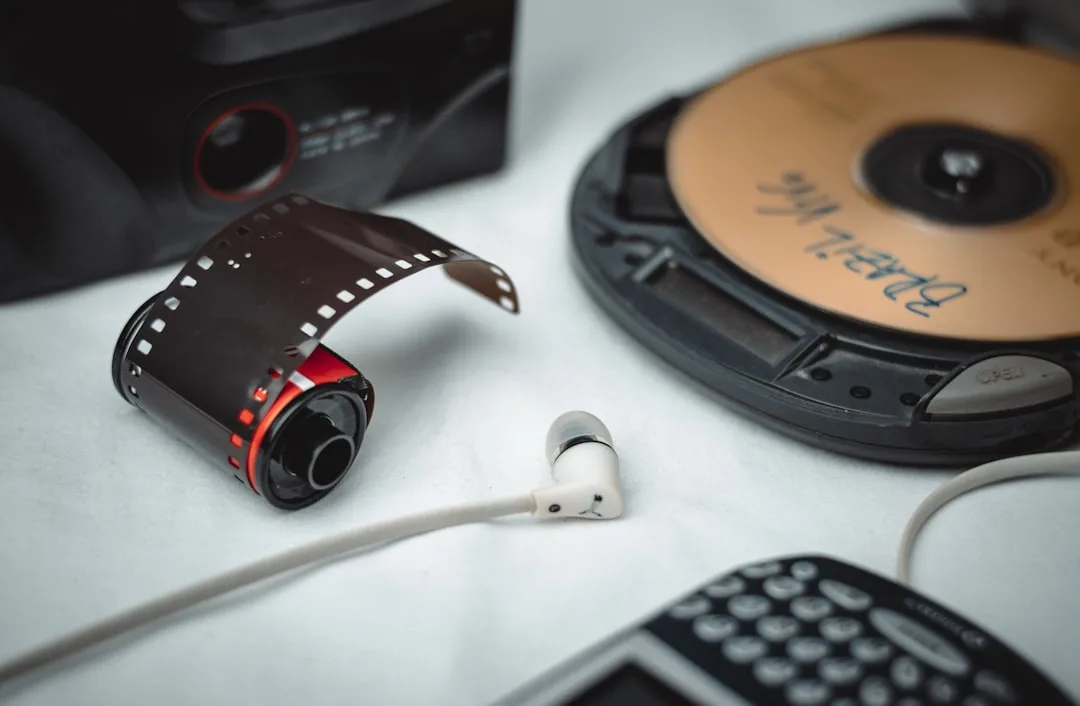
MP3 is no longer the best audio codec. AAC sounds better at the same bitrate, Opus crushes both at low bitrates, and FLAC is the only sensible choice for archival. So why does every podcast network, every audiobook producer, every car-stereo-aware distributor, and every legacy CMS still demand MP3 deliverables in 2026? Because MP3 plays everywhere. The codec is 33 years old, the patents expired in 2017, and there is no consumer device made in the last twenty years that cannot decode it. When the deliverable must work on a grandmother's iPod, a toddler's musical toy, and a Tesla all at once, MP3 is the answer.
This guide is about doing that batch conversion well. Not because MP3 is interesting, but because hundreds of files at a time will go through it on every production pipeline that ships to a wide audience, and most of those pipelines are leaking quality and time at every stage.
What "well" means for an MP3 batch
A good MP3 batch hits five marks. First, it produces files at a known, defensible quality target rather than an arbitrary bitrate. Second, it preserves the metadata that listeners and players actually use: title, artist, album, track number, and embedded art. Third, it runs in parallel up to a sensible concurrency limit. Fourth, it logs enough to recover from interruption without re-doing finished work. Fifth, it produces files that pass external QA: no clipping, no abrupt silence at start or end, no surprise duration changes from sample rate confusion.
A pipeline that misses any one of those five is the kind that produces a Slack message at 11 pm on Friday because episode 47 is missing the host's name in the artist field.
"Programs are meant to be read by humans and only incidentally for computers to execute." Donald Knuth, Literate Programming
A batch script for MP3 conversion is more like a configuration document than a program. The encoder is doing the work; the script is making the decisions human and reviewable.
LAME quality settings: the only table that matters
LAME has two ways to set quality. The wrong way is to specify a constant bitrate (CBR) such as -b 192. The right way is to specify a VBR quality level with -V. VBR allocates bits where they are needed, so a quiet acoustic guitar passage gets fewer bits and a complex orchestral peak gets more, all averaging close to a target.
| LAME setting | Average bitrate | Use case | Notes |
|---|---|---|---|
| -V 0 | ~245 kbps | Audiophile distribution | Diminishing returns above this |
| -V 2 | ~190 kbps | Default for music | Transparent for almost all listeners |
| -V 4 | ~165 kbps | Casual music distribution | Acceptable for streaming |
| -V 6 | ~115 kbps | Speech, podcasts, audiobooks | Sounds fine for voice |
| -b 320 | 320 kbps CBR | Required by some streaming servers | Larger than -V 0 with no audible benefit |
| -b 128 | 128 kbps CBR | Legacy fixed-bitrate distribution | Adequate for podcasts |
| --abr 192 | ~192 kbps ABR | Average bitrate target | Compromise between VBR and CBR |
A minimum viable LAME batch
The simplest batch that works for most cases:
#!/usr/bin/env bash
set -euo pipefail

INPUT_DIR="${1:-./wav}"
OUTPUT_DIR="${2:-./mp3}"

mkdir -p "$OUTPUT_DIR"

for src in "$INPUT_DIR"/*.wav; do
  base=$(basename "$src" .wav)
  lame -V 2 --quiet \
    --tt "$(basename "$src" .wav)" \
    "$src" "$OUTPUT_DIR/$base.mp3"
done
This works but is single-threaded and does not handle non-WAV inputs. Production needs more.
The ffmpeg-driven version
For batches with mixed inputs (WAV, FLAC, AIFF, M4A, OGG), ffmpeg is the better front end because its decoders cover everything LAME does not.
#!/usr/bin/env bash
set -euo pipefail

INPUT_DIR="${1:-./incoming}"
OUTPUT_DIR="${2:-./mp3}"
PARALLEL="${3:-8}"
QUALITY="${4:-2}"

mkdir -p "$OUTPUT_DIR"

convert_one() {
  local src="$1"
  local base
  base=$(basename "$src" | sed 's/\.[^.]*$//')
  local out="$OUTPUT_DIR/$base.mp3"

  ffmpeg -hide_banner -y -i "$src" \
    -map_metadata 0 \
    -id3v2_version 3 \
    -ac 2 -ar 44100 \
    -c:a libmp3lame -q:a "$QUALITY" \
    "$out"
}

export -f convert_one
export OUTPUT_DIR QUALITY

find "$INPUT_DIR" -type f \
  \( -iname "*.wav" -o -iname "*.flac" -o -iname "*.aiff" -o -iname "*.m4a" -o -iname "*.ogg" \) \
  | parallel -j "$PARALLEL" --joblog batch.log convert_one
The -q:a value passed to ffmpeg's libmp3lame is the LAME -V value, with the same meaning. -id3v2_version 3 is critical for compatibility with older players that mishandle ID3v2.4 Unicode encoding.
Joint stereo: when to leave it on, when to turn it off
LAME's joint stereo mode encodes the sum and difference of left and right channels rather than each independently. For typical music with similar content in both channels, this saves roughly 5 to 10 percent in bitrate at no audible cost. For unusual material, it can introduce artifacts.
Cases where joint stereo should be disabled:
- Binaural recordings where left and right are intentionally different
- Hard-panned mixes where channels are essentially mono with a stereo container
- ASMR content where channel separation is the point
- Surround downmixes where the LFE has bled into one channel
Force LR mode with -m s (LAME) or by adding joint_stereo=0 to the libmp3lame options in ffmpeg. For the 95 percent case, leave it on the default.
Resampling: the trap most batches fall into
Many sources are already at 44.1 kHz. Some are at 48 kHz (video soundtracks), 96 kHz (high-resolution audio), or 32 kHz (older broadcast). MP3 supports several rates but 44.1 kHz is the ubiquitous deliverable.
Resampling done badly introduces a faint high-frequency hiss or, worse, audible aliasing on percussion. Use SoX-quality resampling:
ffmpeg -i high_res.flac \
  -af "aresample=resampler=soxr:precision=28:dither_method=triangular_hp" \
  -ar 44100 -c:a libmp3lame -q:a 2 \
  output.mp3
The dither_method=triangular_hp adds high-pass triangular dither during the bit-depth reduction step, which prevents truncation noise.
"Computers are useless. They can only give you answers." Pablo Picasso
The encoder will do exactly what you tell it. If you do not tell it to resample with high quality, it will resample with whatever default is fast, and the result will sound subtly worse than it needs to.
ID3 tags: the part everyone gets wrong
Three tagging mistakes recur in production batches.
The first is using the wrong ID3 version. ID3v2.4 is technically newer but is poorly supported by older car stereos, some podcast apps, and most audiobook players. ID3v2.3 is the safe default for distribution. Force it explicitly:
ffmpeg -i input.flac -id3v2_version 3 \
  -metadata title="Track Title" \
  -metadata artist="Artist Name" \
  -c:a libmp3lame -q:a 2 \
  output.mp3
The second is forgetting album art. Embedded cover art appears in lock screens, car displays, and Bluetooth metadata. Without it, listeners see a generic music note. Always carry it:
ffmpeg -i input.flac -i cover.jpg \
  -map 0:a -map 1:v \
  -c:v copy -c:a libmp3lame -q:a 2 \
  -id3v2_version 3 \
  -metadata:s:v title="Album cover" \
  -metadata:s:v comment="Cover (front)" \
  output.mp3
The third is non-Unicode characters in tags. ID3v2.3 supports UTF-16 with BOM, which is the safe choice for international content. Do not rely on Latin-1 fallback; it produces gibberish for non-Western titles.
Loudness normalization for MP3 batches
Listeners shuffle podcasts from different shows, songs from different albums, and audiobooks from different publishers in one playlist. If each source is at a different loudness, the listener becomes a volume-knob technician. Normalize every batch to a defined target.
For podcast distribution: -16 LUFS integrated, -1 dBTP true peak.
For music distribution: -14 LUFS for streaming-style aggregation, untouched if delivering for audiophile use.
For audiobooks: -18 LUFS, with no peak limiting because dynamics matter.
ffmpeg -i input.flac \
  -af "loudnorm=I=-16:TP=-1:LRA=11,aresample=44100" \
  -c:a libmp3lame -q:a 2 \
  -id3v2_version 3 \
  output.mp3
For tighter targets, use the two-pass approach described in any production audio guide. Single-pass is acceptable for casual distribution and lands within roughly 1 LU of target.
Parallelism: the right number is usually four to eight
LAME is single-threaded per file, but a batch can run many encoders concurrently. Optimal concurrency is roughly half to equal your physical core count, not your logical thread count.
# 8-core machine, 6 concurrent encodes leaves headroom for OS and I/O
parallel -j 6 ./encode-one.sh ::: incoming/*.wav
Beyond 8 to 10 concurrent jobs, returns diminish because LAME is fairly cache-friendly and disk I/O becomes the bottleneck.
| Cores | Recommended -j | Throughput per hour | Notes |
|---|---|---|---|
| 4 | 3 | ~600 episodes | Leaves a core for OS |
| 8 | 6 | ~1,400 episodes | Standard developer laptop |
| 16 | 12 | ~3,000 episodes | Server-class |
| 32 | 20 | ~5,500 episodes | Diminishing returns above 24 |
| 64 | 24 | ~7,000 episodes | I/O bound |
Recovery and resumability
A batch that crashes at item 147 of 200 should not start over. The simplest pattern that works:
for src in incoming/*.wav; do
  out="mp3/$(basename "$src" .wav).mp3"
  if [[ -f "$out" && "$out" -nt "$src" ]]; then
    echo "skip $src (already done)"
    continue
  fi
  ./encode-one.sh "$src" "$out"
done
This skips files whose output is newer than the input. For shared work queues, replace this with a database row that tracks status per file. The same pattern that drives content-distribution workflows works for MP3 batches.
Verification: the QC pass
A 200-episode batch is unlistenable. Automated checks cover the technical bar.
for f in mp3/*.mp3; do
  # Check file exists and is non-trivial in size
  size=$(stat -c%s "$f")
  if (( size < 100000 )); then
    echo "FAIL: $f is suspiciously small ($size bytes)"
    continue
  fi

  # Check duration matches source within 1 second
  src="incoming/$(basename "$f" .mp3).wav"
  dur_src=$(ffprobe -v error -show_entries format=duration -of csv=p=0 "$src")
  dur_out=$(ffprobe -v error -show_entries format=duration -of csv=p=0 "$f")
  delta=$(echo "$dur_out - $dur_src" | bc -l)
  abs_delta=${delta#-}
  if (( $(echo "$abs_delta > 1.0" | bc -l) )); then
    echo "FAIL: $f duration mismatch ($delta seconds)"
  fi

  # Check ID3 tags exist
  artist=$(ffprobe -v error -show_entries format_tags=artist -of csv=p=0 "$f")
  if [[ -z "$artist" ]]; then
    echo "WARN: $f has no artist tag"
  fi
done
This catches silent failures: zero-byte outputs from encoder crashes, duration drift from sample-rate confusion, and missing tags from misconfigured pipelines.
Cross-domain pipelines
The MP3 batch pipeline is the same whether the content is podcast episodes, audiobooks, language-learning lessons, or marketing audio. A team distributing content to platforms like test-prep audio practice, language and writing-tips audio at Evolang, or music-theory drills at When Notes Fly can run all of it through one pipeline differing only in target loudness and bitrate.
The thing that changes per tenant is configuration, not code. A YAML or JSON file mapping tenant ID to output specs lets a single worker serve all of them.
"Worse is better." Richard Gabriel, The Rise of Worse Is Better
MP3 is the canonical "worse is better" codec. Technically inferior to every modern alternative, but practically superior because of universal support. Embrace that, and stop trying to convince podcast hosts to ship Opus instead.
Sample-rate landmines in MP3 batches
MP3 supports 32, 44.1, and 48 kHz at the original MPEG-1 layer, plus 16, 22.05, and 24 kHz at MPEG-2. Most distribution targets 44.1 kHz, but a video soundtrack source at 48 kHz that gets blindly fed through a 44.1 kHz encoder gets resampled by whatever default the encoder uses, which is often poor.
The fix is explicit. Never let the encoder choose the resampling silently. Pass -ar 44100 to ffmpeg or --resample 44.1 to LAME, and ensure the resampler chosen is the high-quality one.
ffmpeg -i video_audio_48k.wav \
  -af "aresample=resampler=soxr:precision=28:dither_method=triangular_hp" \
  -ar 44100 -c:a libmp3lame -q:a 2 \
  -id3v2_version 3 -map_metadata 0 \
  podcast_episode.mp3
For batches that mix 44.1 and 48 kHz sources, probe each input and skip resampling for already-44.1 sources to avoid pointless quality loss from a no-op resample step.
Real-world deliverable specs
Different distribution targets demand different MP3 specs. The table below covers the most common.
| Platform | Bitrate | Sample rate | Channel | LUFS target | Notes |
|---|---|---|---|---|---|
| Apple Podcasts | 128 kbps CBR or -V 5 VBR | 44.1 kHz | Stereo or mono per source | -16 LUFS | Mono speech can drop to 64 kbps |
| Spotify (podcast) | 96-128 kbps | 44.1 kHz | Stereo | -14 LUFS | Spotify normalizes anyway |
| RSS-only podcast | 96 kbps | 44.1 kHz | Mono | -16 LUFS | Speech-only saves bandwidth |
| Audiobook (ACX) | 192 kbps CBR | 44.1 kHz | Mono | -19 to -23 LUFS | Strict ACX requirements |
| Music distribution | 320 kbps CBR or -V 0 | 44.1 kHz | Stereo | -14 LUFS | Audiophile insistence |
| Voice-only language lesson | 64 kbps | 22.05 kHz | Mono | -16 LUFS | Half the bandwidth |
| Telephone-quality archival | 32 kbps | 16 kHz | Mono | N/A | Bandwidth-constrained delivery |
Encoder lookup table for LAME presets
LAME exposes hundreds of low-level options, but for production batches the relevant ones are well-known. The settings below cover the cases that come up in real pipelines.
# Standard music VBR
lame -V 2 input.wav output.mp3

# Voice/speech VBR
lame -V 6 --vbr-new input.wav output.mp3

# CBR for streaming server
lame -b 128 --cbr input.wav output.mp3

# ABR with target average
lame --abr 192 input.wav output.mp3

# High-quality archival
lame -V 0 -q 0 --lowpass 22 input.wav output.mp3

# Force LR (no joint stereo) for binaural content
lame -m s -V 2 input.wav output.mp3

# Add ID3 tags directly
lame -V 2 \
  --tt "Track Title" \
  --ta "Artist" \
  --tl "Album" \
  --ty "2026" \
  --tn "1/12" \
  --tg "Podcast" \
  --add-id3v2 \
  --id3v2-only \
  input.wav output.mp3
The -q 0 flag selects the slowest, highest-quality encoding mode. It produces marginally better output than the default -q 2 but at roughly twice the encoding time. For unattended overnight batches, the time cost is irrelevant.
Performance tuning observations
Two factors dominate batch throughput in practice. First, disk I/O is often the limiter for reads of large WAV inputs from spinning disks. Pre-staging inputs onto NVMe before encoding can double throughput on systems where the input pool is on slower storage. Second, the operating system's page cache helps repeat encodes (e.g., a re-run after a parameter tweak), so the second pass through a folder can run noticeably faster than the first.
For very large batches, profile a sample run before committing to a long batch. A 10-file timing test gives a reliable estimate of full-batch duration and exposes hardware-specific bottlenecks before they cost a night.
Common mistakes that survive years of practice
Three errors recur. First, encoding the master as MP3 then re-encoding for delivery compounds quality loss; always work from a lossless master. Second, defaulting to 320 kbps CBR for everything wastes disk for no audible benefit; use VBR with -V settings tuned to content type. Third, omitting ID3 tags because "the player will figure it out" produces "Track 01 Unknown Artist" in every car stereo on the planet; always tag.
A pipeline that respects these three rules ages gracefully and produces deliverables that listeners do not notice, which is the highest compliment an MP3 batch can earn.
References
- ISO/IEC 11172-3:1993, "Information technology - Coding of moving pictures and associated audio for digital storage media at up to about 1,5 Mbit/s - Part 3: Audio." International Organization for Standardization (MPEG-1 Audio Layer III, the MP3 specification).
- Brandenburg, K., and Stoll, G., "ISO MPEG-1 Audio: A Generic Standard for Coding of High-Quality Digital Audio." Journal of the Audio Engineering Society, vol. 42, no. 10, pp. 780-792, 1994.
- Hyman, M., "LAME Audio Encoder technical documentation." LAME Project. Available: https://lame.sourceforge.io/tech-FAQ.txt
- ID3.org, "ID3 tag version 2.3.0 - Main Structure." Available: https://id3.org/id3v2.3.0
- ITU-R BS.1770-4, "Algorithms to measure audio programme loudness and true-peak audio level." International Telecommunication Union, 2015.
- EBU Recommendation R 128, "Loudness normalisation and permitted maximum level of audio signals." European Broadcasting Union, 2020.
- Smith, J. O., "Digital Audio Resampling Home Page." Stanford University CCRMA. Available: https://ccrma.stanford.edu/~jos/resample/
- Bellard, F., and Niedermayer, M., "FFmpeg multimedia framework documentation." Available: https://ffmpeg.org/documentation.html
Frequently Asked Questions
What "well" means for an MP3 batch?
A good MP3 batch hits five marks. First, it produces files at a known, defensible quality target rather than an arbitrary bitrate. Second, it preserves the metadata that listeners and players actually use: title, artist, album, track number, and embedded art. Third, it runs in parallel up to a sensible concurrency limit. Fourth, it logs enough to recover from interruption without re-doing finished work. Fifth, it produces files that pass external QA: no clipping, no abrupt silence at start or end, no surprise duration changes from sample rate confusion.
Related Articles
Ready to Convert Your Files?
Use our free online file converter supporting 240+ formats. No signup required, fast processing, and secure handling of your files.
Convert Files