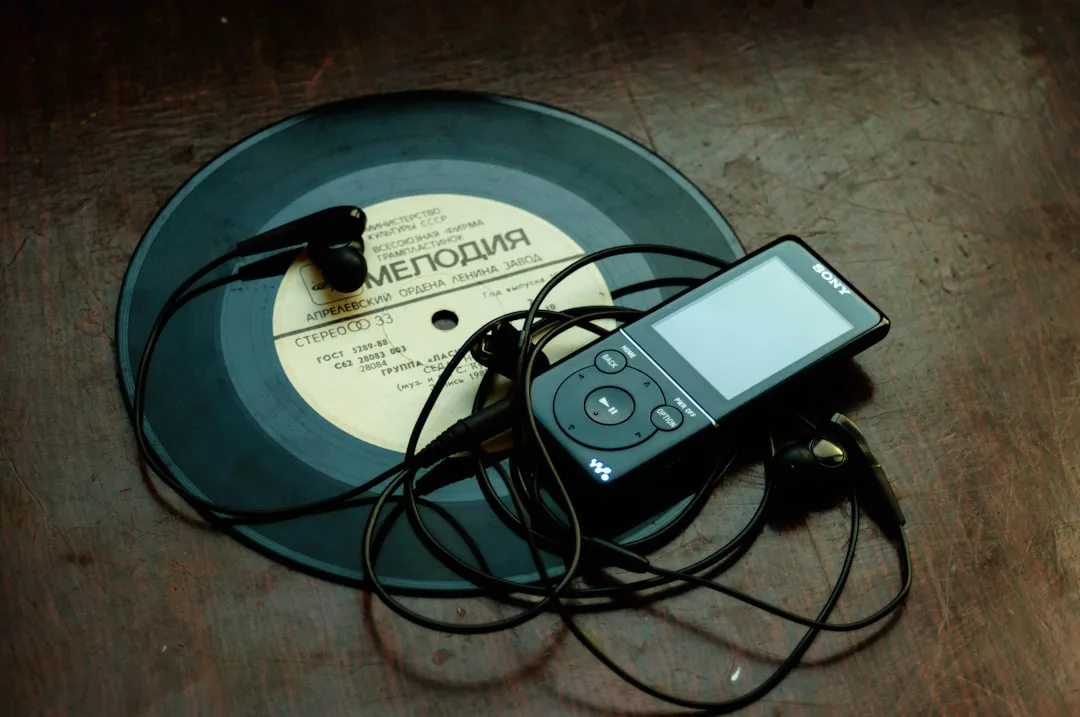
The MP3 versus FLAC argument has been running since 2001, when FLAC version 1.0 shipped against an MP3 ecosystem already dominant on every desktop and portable player. Twenty-five years later, the argument is mostly settled at the technical level (FLAC is lossless, MP3 is not, and the difference is measurable) but unresolved at the practical level (most listeners do not hear the difference under typical playback conditions, and storage choices have to account for both technical and practical realities). The right format depends on what you are doing with the file, who will listen to it, and how the file will travel through the years.
This article works through the comparison in technical, perceptual, and practical terms. The technical part is short and uncontroversial. The perceptual part draws on published audio research, the practical part draws on the realities of storage, bandwidth, and playback hardware in 2026. The recommendations are calibrated to specific user profiles rather than offered as a single universal answer, because the universal answer does not exist.
The Technical Difference
MP3 (formally MPEG-1 Audio Layer III) is a lossy compression codec. It analyzes the audio signal and discards information that the human ear is unlikely to perceive, based on a psychoacoustic model that accounts for masking effects, frequency sensitivity, and temporal resolution. The decoder reconstructs an approximation of the original waveform from the compressed bitstream. The reconstruction differs from the original at the sample level; the question is whether the difference is audible.
FLAC (Free Lossless Audio Codec) is a lossless compression codec. It removes redundancy in the audio signal using prediction and entropy coding, but the compression is reversible. The decoded FLAC stream is bit-identical to the original PCM input. There is no quality loss, by definition.
# Verifying FLAC is bit-exact
ffmpeg -i master.wav -map 0:a -f md5 -    # original PCM hash
ffmpeg -i master.flac -map 0:a -f md5 -   # FLAC-decoded hash
# These hashes match exactly when FLAC is functioning correctly.

# Verifying MP3 is not bit-exact
ffmpeg -i master.wav -map 0:a -f md5 -
ffmpeg -i master.mp3 -map 0:a -f md5 -
# These hashes will not match; the MP3 decode produces different samples.
The lossless property of FLAC has practical implications for archiving and editing. A FLAC file can be transcoded to any format, including back to WAV, with no further loss. An MP3 file cannot be transcoded to a higher quality format than the original MP3 represents; the discarded information is gone.
"Lossless is a covenant with the future. The format you save in today is the format your grandchildren will be able to read, given the right specification. Lossy is a contract with the present moment." Andy Hertzfeld, on long-term file format choices
Compression Ratios in Practice
A typical CD-quality stereo track (44.1 kHz / 16-bit) at 4 minutes runs about 42 MB as raw PCM. The same track in various compressed formats:
| Format | Typical Size | Ratio | Bitrate |
|---|---|---|---|
| WAV (PCM) | 42 MB | 1.0x | 1411 kbps |
| FLAC level 5 | 24 MB | 0.57x | 800 kbps |
| FLAC level 8 | 23 MB | 0.55x | 770 kbps |
| Apple Lossless (ALAC) | 25 MB | 0.60x | 850 kbps |
| MP3 320 kbps | 9.6 MB | 0.23x | 320 kbps |
| MP3 V0 | 7.4 MB | 0.18x | 245 kbps avg |
| MP3 192 kbps | 5.8 MB | 0.14x | 192 kbps |
| MP3 128 kbps | 3.8 MB | 0.09x | 128 kbps |
| AAC 256 kbps | 7.7 MB | 0.18x | 256 kbps |
| Opus 128 kbps | 3.8 MB | 0.09x | 128 kbps |
The implication for storage is straightforward. A 1,000-track music library at 4 minutes per track averages 42 GB as WAV, 24 GB as FLAC, and 9.6 GB as MP3 320. Storage cost in 2026 is roughly $0.02 per GB per month on cloud storage and $20 per TB on consumer hard drives. The lossless versus lossy storage decision is now a $5 per year decision for the typical home user.
Audibility: What Listeners Actually Hear
The audibility question has been studied extensively in controlled double-blind tests using ABX methodology, where listeners compare two unidentified samples and report which one is which. Published research from the Audio Engineering Society and academic acoustics groups produces a consistent picture.
At MP3 bitrates of 256 kbps and above, listeners cannot reliably distinguish the MP3 from the lossless source on commercial music using consumer playback equipment. Trained engineers occasionally detect differences on specific test signals (sustained sine tones, percussive transients with strong harmonics) but not consistently on natural music.
At MP3 bitrates of 128 kbps and below, differences become audible to attentive listeners on full-range systems. The artifacts include high-frequency smear (cymbals losing their shimmer), pre-echo on percussive content, and stereo image collapse on phase-sensitive material.
At Opus bitrates of 96 kbps and above, listeners cannot reliably distinguish the Opus from lossless. Opus achieves at 96 kbps roughly what MP3 achieves at 192 kbps in audibility tests.
The playback equipment matters as much as the codec. Consumer earbuds with frequency response variations of 10 dB across the audible range mask codec artifacts that would be obvious on a $5,000 home audio system. The listening environment matters too: a 35 dB ambient noise floor in a living room masks artifacts that would be audible in a treated studio at 25 dB.
"The audibility of compression artifacts is the difference between the artifact and the noise floor of the listening environment. Most consumer listening happens above the artifact threshold by a comfortable margin." Floyd Toole, Sound Reproduction
Use Cases That Map to MP3
A handful of use cases map cleanly to MP3.
Maximum compatibility distribution. Every operating system, every podcast app, every car stereo back to 2000 understands MP3. For files going to unknown recipients on unknown hardware, MP3 is the safest choice.
Storage on space-constrained devices. A 64 GB phone holds roughly 6,000 four-minute tracks at MP3 320 versus 2,500 at FLAC. For users who want to carry a library locally, MP3 wins on track count.
Streaming over slow networks. MP3 at 128 kbps streams reliably over connections that struggle with FLAC. For internet radio and live streaming to mobile listeners on cellular, MP3 remains common.
Podcast distribution. Spoken word at MP3 96 kbps mono sounds excellent and works in every podcast app. The technical superiority of Opus does not yet outweigh the universal compatibility of MP3 for podcast feeds.
In-car audio. Many car head units released before 2020 handle MP3 reliably and FLAC poorly or not at all. For files going on a USB drive for car playback, MP3 is the conservative choice.
Use Cases That Map to FLAC
The complementary set of use cases maps to FLAC.
Music archives. A personal music library in FLAC can be transcoded to any future format without further loss. FLAC stores the master from which any delivery format can be generated. The cost is roughly twice the storage of high-bitrate MP3.
Critical listening on high-end systems. Listeners with full-range home audio systems may detect differences on attentive listening, especially with dense classical and acoustic music. For these listeners, FLAC removes the source as a variable.
Mastering and production deliverables. Mastering engineers deliver final masters as WAV or FLAC, never MP3, because clients may need to remaster, remix, or extract stems from the master. Lossy compression at this stage destroys options.
Distribution to audiophiles. Streaming services positioned to audiophile audiences (Tidal, Qobuz, Apple Music in lossless mode) deliver in lossless formats. Selling lossless downloads through Bandcamp or HDtracks targets the same audience.
Long-term preservation. Cultural and heritage projects archiving recordings for future generations use lossless formats because the file's eventual playback context is unknown. FLAC's open specification protects against decoder unavailability decades in the future.
| Listener Profile | Library Format | Delivery Format on Device |
|---|---|---|
| Casual listener, small phone | MP3 256 kbps | MP3 256 kbps (same file) |
| Casual listener, streaming | n/a | Service-determined (usually AAC) |
| Music collector with dedicated audio system | FLAC | FLAC at home, transcoded MP3 V0 in car |
| Audiophile with high-end setup | FLAC at native master rate | FLAC throughout |
| Studio engineer | WAV at 24-bit | WAV at 24-bit |
| Podcaster (publisher) | WAV master | MP3 96 kbps mono delivery |
| Podcaster (listener) | n/a | MP3 from RSS feed, app-managed |
| Touring DJ | FLAC for irreplaceable sets | FLAC on USB; MP3 backup |
Practical Storage Math for 2026
Storage is cheap enough in 2026 that the cost argument for MP3 over FLAC has weakened. Consumer hard drives at 16 TB sell for roughly $200, putting raw storage at $12.50 per TB. Cloud storage on commodity providers runs $0.02 per GB per month, or $20 per TB per month, making cloud-hosted FLAC libraries for personal use a few dollars per year.
A 10,000-track library at 4 minutes per track averages 240 GB in FLAC and 96 GB in MP3 320. Both fit on any modern hard drive. Both fit in cloud storage at a cost most users would not notice. Storage is no longer the binding constraint for library format choice on the desktop.
The constraint that remains is mobile device storage and bandwidth. Phones at 64 GB hold limited libraries. Streaming over cellular consumes data at 1 GB per 8 hours of FLAC versus 1 GB per 24 hours of MP3 320. For users with limited cellular plans, the bandwidth math still favors lossy.
The Hybrid Strategy
The strategy that combines the strengths of both formats is to maintain a lossless library and transcode to lossy on demand for delivery contexts. This is the approach used by every serious music collector and every commercial music service.
# Maintain FLAC library
my-music/
  artist1/
    album1/
      01-track-name.flac
      02-track-name.flac

# Sync to phone with on-the-fly MP3 transcoding (rsync-based pattern)
rsync-flac-to-mp3 my-music/ /mnt/phone/Music/
# Wraps ffmpeg to transcode each FLAC to MP3 V0 during sync
Tools that automate this include Foobar2000's "convert to" feature, MusicBee's "auto-convert during sync" option, beets with its "convert" plugin, and the rsync wrapper scripts maintained by various open-source communities. The library stays lossless; the phone gets lossy copies; the user never has to make the lossless-versus-lossy choice for individual tracks.
The same pattern applies in professional contexts. The mastering engineer keeps the WAV. The mastering house delivers FLAC for the streaming aggregator. The streaming aggregator transcodes to AAC for delivery. The listener hears AAC. The chain preserves the option to remaster from the WAV, even though the listener will never hear it directly.
"The library is for the future. The phone is for today. Confusing them is how good music gets lost." Brian Eno, on archiving production work
What the Research Actually Says
Several published studies have measured the audibility of MP3 versus lossless under controlled conditions. A summary of findings.
The double-blind ABX tests conducted by NPR and others on commercial music at MP3 bitrates of 256 kbps and above produce listener accuracy near 50 percent (chance) for typical participants and 55 to 65 percent for trained listeners on specific selections. The effect is real but small.
The Audio Engineering Society guidelines on listening test methodology emphasize that codec comparisons must control for level matching, playback equipment, room acoustics, and listener fatigue. Tests that fail to control these variables produce results that say more about the test than about the codec.
The cognitive psychology of music perception, surveyed in publications like the Journal of the Acoustical Society of America, indicates that subjective perception of audio quality is heavily influenced by listener expectation. The same file rated as superior when labeled "lossless" is rated lower when labeled "MP3." This expectation effect is large enough that listening tests must be blind to be informative.
The cognitive perception research at What's Your IQ covers similar effects in other modalities: expectation shapes perception across visual, auditory, and tactile domains. The same effect explains why audio enthusiasts often report dramatic differences between formats that double-blind testing cannot reproduce.
A Compact Decision Rule
The decision rule that works for most listeners.
Archive in FLAC. Storage is cheap, the format is open, and the option to transcode is worth more than its storage cost.
Distribute in MP3 or AAC for unknown audiences. Use V0 for MP3 or 256 kbps for AAC. The quality is essentially indistinguishable from FLAC on consumer playback, and compatibility is universal.
Deliver to audiophiles in FLAC. Tidal, Qobuz, Bandcamp, and direct download channels accept lossless. The audience that cares about lossless will detect when you deliver lossy.
Master in WAV. Convert to FLAC for archive. Convert to MP3 or AAC for delivery. Never edit lossy files except to re-encode them at lower bitrate.
For specialized cases (DJ libraries, broadcast deliverables, multitrack stems), the format conventions of the specific industry override the general rule.
When the Choice Matters and When It Does Not
A useful exercise for anyone deciding between MP3 and FLAC: identify the cases in your own listening where the choice matters and the cases where it does not.
The choice does not matter when the playback equipment cannot reveal the difference. Phone speakers, low-cost earbuds, and most car audio systems have frequency response variations that mask any practical codec artifact. On these systems, MP3 at 256 kbps and FLAC sound the same.
The choice does not matter when the listening environment is noisy. A subway train at 70 dB ambient noise floor masks the entire dynamic range advantage of FLAC. Casual background listening at home with conversation, dishes, and HVAC noise behaves similarly.
The choice does matter when the playback equipment is high-resolution and the listener is attentive. Studio monitors with flat frequency response in a treated room reveal codec artifacts that consumer playback hides. Headphones in the $300 and above range often expose the same artifacts.
The choice matters when the file will be re-encoded. A FLAC source can be transcoded to any future format without compounding loss; an MP3 source cannot be improved by any future operation.
The choice matters when the file must survive decades. Cultural archives, family recordings, and historical documents should be stored in lossless formats because the eventual playback context is unknown.
The framing reduces the format question to a context question. The right answer is the answer that fits the context. The wrong answer is to pick one universal format and apply it everywhere, ignoring the contexts where the choice has consequences and the contexts where it does not.
The technical reading at Pass4Sure on certification deliveries makes a parallel point about credential portability: the format that opens the most doors is not always the format with the most technical merit. Both audio format choice and credential format choice are governed by the social agreement of what counts as a normal file in a given context.
For related guidance, see understanding audio formats which one is right for you and comparing audio formats podcasting.
References
- Xiph.Org Foundation. FLAC Format Specification. https://xiph.org/flac/format.html
- ISO/IEC 11172-3:1993 Information technology, Coding of moving pictures and associated audio for digital storage media (MPEG-1 Audio). https://www.iso.org/standard/22411.html
- International Telecommunication Union. ITU-R BS.1116-3 Methods for the subjective assessment of small impairments in audio systems. https://www.itu.int/rec/R-REC-BS.1116
- Toole, F. E. (2017). Sound Reproduction: The Acoustics and Psychoacoustics of Loudspeakers and Rooms. Routledge. https://www.routledge.com/9781138921375
- Lipshitz, S. P., Wannamaker, R. A., and Vanderkooy, J. (1992). Quantization and Dither: A Theoretical Survey. Journal of the Audio Engineering Society. https://www.aes.org/e-lib/browse.cfm?elib=7047
- Audio Engineering Society Standards Committee. AES17-2020 standard method for digital audio engineering measurement. https://www.aes.org/publications/standards/
- Rumsey, F. (2001). Spatial Audio. Focal Press. https://www.routledge.com/9780240516233
- Brandenburg, K. (1999). MP3 and AAC Explained. AES 17th International Conference on High Quality Audio Coding. https://www.aes.org/e-lib/browse.cfm?elib=8079
Frequently Asked Questions
What the Research Actually Says?
Several published studies have measured the audibility of MP3 versus lossless under controlled conditions. A summary of findings.
When the Choice Matters and When It Does Not?
A useful exercise for anyone deciding between MP3 and FLAC: identify the cases in your own listening where the choice matters and the cases where it does not.
Related Articles
Ready to Convert Your Files?
Use our free online file converter supporting 240+ formats. No signup required, fast processing, and secure handling of your files.
Convert Files