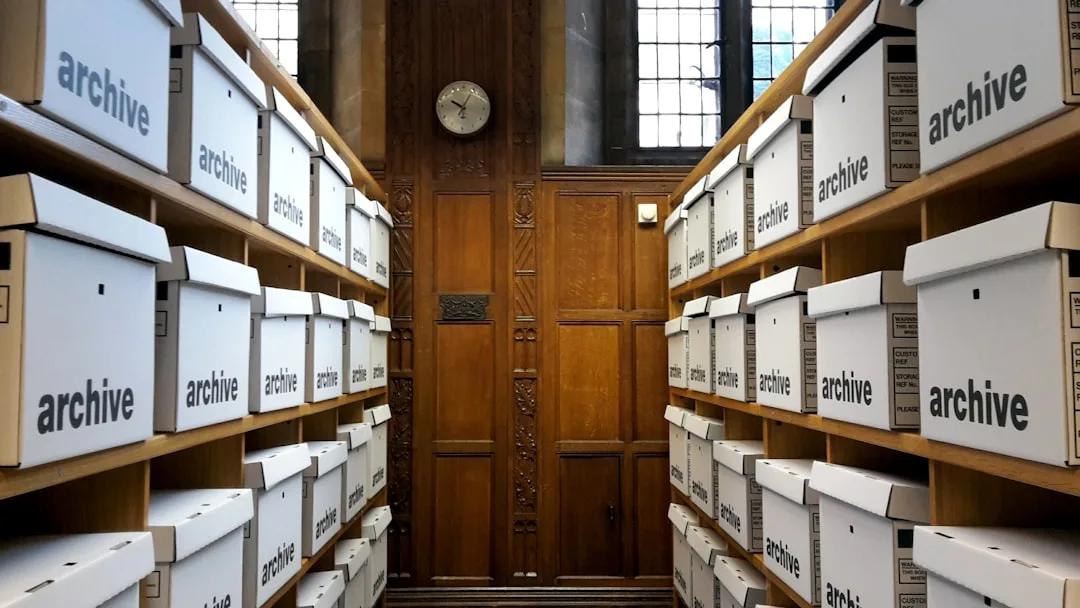
The archive format decision looks trivial until it costs you. A backup that cannot be opened on the recipient's machine, a 200 GB dataset that compressed to 198 GB, an encrypted archive whose password algorithm turned out to be a known-broken cipher, a corrupted file in the middle of a tarball that took the rest of the archive down with it. Every one of these failures comes from a routine choice between ZIP, 7z, RAR, TAR, and the family of variants that sit underneath. The right choice depends on what you are actually optimizing for, and the available formats trade off compression ratio, speed, recoverability, encryption strength, and ecosystem support in genuinely different ways.
This article maps the modern archive landscape against the questions that determine the right format for a given workload: how compressible is the data, who needs to open it, how robust does the storage need to be, what is the security model, and what tools will be available at the destination. The recommendations reflect the state of the format ecosystem in 2026, after several years of significant evolution including Windows native 7z and TAR support, the Zstandard algorithm reaching maturity, and the deprecation of older encryption modes that should no longer be used for sensitive data.
What an Archive Format Actually Is
An archive format does two distinct jobs that are sometimes combined and sometimes separated. The first is bundling, taking many files and a directory tree and serializing them into a single byte stream. The second is compression, applying an algorithm to that byte stream to make it smaller. ZIP and RAR combine bundling and compression in one specification. TAR is a pure bundling format that delegates compression to a wrapper format like gzip, bzip2, xz, or zstd. The 7z format combines bundling with a choice of several compression algorithms.
# TAR pipeline: bundling and compression are separate
tar cf data.tar source-directory
zstd -19 data.tar -o data.tar.zst

# ZIP: bundling and compression in one step
zip -r9 data.zip source-directory

# 7z: bundling and compression with algorithm choice
7z a -t7z -mx=9 -m0=lzma2 data.7z source-directory
The separation in TAR pipelines matters more than it sounds. Because compression is applied to the entire bundle stream, TAR achieves better compression than ZIP on archives with many small similar files: the deduplication context spans files. ZIP compresses each file individually, which makes random access faster but reduces the compression ratio for repetitive data.
"The best file format is the one that reads ten years from now without ceremony. Everything else is a luxury you may not get to keep." Jeff Atwood, Coding Horror
The Five Decisions That Pick the Format
Most archive format decisions can be reduced to five questions. Answering them honestly produces the right answer for ninety percent of real workloads.
The first question is recipient compatibility. If the recipient is on Windows 10 or earlier without 7-Zip installed, ZIP is the only format guaranteed to open. Windows 11 added native 7z and TAR support in 2023, which has shifted the calculus, but enterprise environments lag the consumer release by years. For maximum portability across operating systems and unknown recipients, ZIP remains the default.
The second question is compression ratio versus speed. The Zstandard family has changed this trade-off significantly. At default settings, zstd compresses faster than gzip while producing smaller output. At maximum settings, zstd approaches xz's compression ratio at a small fraction of the CPU cost. For one-shot compression of large datasets, zstd is now the technically correct choice; for archives that will be read many times, the read speed advantage of zstd over xz compounds.
The third question is robustness against corruption. A single bit flip in the middle of a gzipped tarball corrupts everything from that point to the end of the archive. RAR and PAR2 add explicit recovery records that can repair a defined percentage of damaged data. ZIP supports parity, but only with extensions that not all readers honor. For long-term storage on lossy media, dedicated parity archives matter more than the wrapper format.
The fourth question is the encryption requirement. ZIP's classic encryption is broken and should not be used. ZIP's AES-256 mode (WinZip AES) is acceptable but is not understood by all ZIP readers. 7z encrypts both file contents and the file list with AES-256 in CBC mode and is the default choice when stronger encryption matters. RAR 5 uses AES-256 in CBC mode with PBKDF2 key derivation.
The fifth question is whether you need streaming. TAR archives stream by design: you can compress them as they are produced and decompress them as they are received, which matters for backups, network transfers, and disk-to-disk copies of large datasets. ZIP requires a seekable input on read because the central directory sits at the end of the file. 7z requires the same. For pipelines that process petabyte-scale data, the streaming property of TAR is decisive.
Comparison of the Major Formats
| Format | Bundling | Compression | Encryption | Recovery Records | Streaming | Native Windows 11 |
|---|---|---|---|---|---|---|
| ZIP | Yes | DEFLATE, BZIP2, LZMA, Zstd (ext) | AES-256 (ext) | Limited | No | Yes |
| 7z | Yes | LZMA, LZMA2, BZIP2, PPMd | AES-256 + filename hiding | No | No | Yes (since 2023) |
| RAR | Yes | RAR proprietary | AES-256 | Yes (configurable) | No | No (third-party) |
| TAR (raw) | Yes | None | None | None | Yes | Yes |
| TAR.GZ | TAR + gzip | DEFLATE | None | None | Yes | Yes (since 2023) |
| TAR.BZ2 | TAR + bzip2 | BZIP2 | None | None | Yes | No (third-party) |
| TAR.XZ | TAR + xz | LZMA2 | None | None | Yes | No (third-party) |
| TAR.ZST | TAR + zstd | Zstandard | None | None | Yes | No (third-party) |
| ISO 9660 | Yes | None | None | None | No | Yes |
| SquashFS | Yes (read-only FS) | XZ, LZ4, Zstd | None | None | No | No (WSL only) |
Compression Ratio: What the Numbers Actually Look Like
Real-world compression ratios depend heavily on the input. Text, log files, and uncompressed XML compress dramatically. Pre-compressed media (JPEG, MP3, MP4) hardly compresses at all because the redundancy is already removed. The numbers below come from public benchmarks on the Calgary Corpus and the Silesia Corpus, both standard reference datasets for compression research.
| Algorithm | Calgary Corpus Ratio | Compression Speed (MB/s) | Decompression Speed (MB/s) |
|---|---|---|---|
| gzip -6 | 3.1x | 60 | 380 |
| gzip -9 | 3.2x | 25 | 380 |
| bzip2 -9 | 3.6x | 12 | 35 |
| xz -6 | 4.0x | 8 | 70 |
| xz -9 | 4.1x | 4 | 70 |
| zstd -3 | 3.2x | 460 | 1500 |
| zstd -19 | 3.9x | 15 | 1500 |
| 7z LZMA2 (Ultra) | 4.0x | 6 | 90 |
"Compression is not free. Every cycle you spend squeezing a file is a cycle the user spent waiting. The right ratio is the smallest the user agrees to wait for." Phil Karlton, attributed in Yegge's writings on systems design
Long-Term Storage: The PAR2 Pattern
For archives that need to survive years on optical media, hard drives prone to failure, or cloud storage with non-zero bit-error rates, the wrapper format is not enough. The standard pattern in long-term archival circles is a compressed archive plus a parity file generated by PAR2, which is the de facto standard for forward error correction on file storage.
# Create the compressed archive
tar cf - source-directory | zstd -19 -o backup.tar.zst

# Generate 10% parity files
par2 create -r10 -n7 backup.tar.zst

# To verify integrity later
par2 verify backup.tar.zst.par2

# To repair if bytes are corrupt
par2 repair backup.tar.zst.par2
PAR2 generates redundant parity blocks distributed across multiple files. Up to the configured percentage of the original archive can be lost or corrupted and the original can still be reconstructed. For a 100 GB archive with 10 percent parity, that means up to 10 GB of corruption is recoverable. The cost is 10 GB of additional storage. For irreplaceable data, the trade is worth making.
Encryption Decisions
Encryption inside an archive format is not a substitute for whole-disk encryption or transport encryption. It serves a specific use case: encrypting a discrete bundle for transit through untrusted channels or for at-rest storage on shared media.
The recommendations for 2026 are narrow. Use AES-256 with a key derivation function that resists offline brute-force attack (PBKDF2 with at least 100,000 iterations, or Argon2 where available). Use a randomly generated passphrase of at least 80 bits of entropy. Encrypt filenames as well as content when the directory structure is sensitive (7z's archive header encryption, RAR 5's filename encryption). Avoid ZIP's classic password algorithm entirely; it can be brute-forced in seconds.
For high-value data, the right pattern is to encrypt a TAR archive with gpg rather than relying on the archive format's built-in encryption. GPG uses well-audited primitives with public scrutiny.
tar cf - source-directory | zstd -19 | \
  gpg --symmetric --cipher-algo AES256 -o backup.tar.zst.gpg
The procurement and compliance dimensions of encrypted archives are covered well in cross-border practice; the regulatory walkthroughs at Corpy describe how encryption requirements vary across jurisdictions for data subject access and retention.
Ecosystem Support: The Practical Constraint
Even the best-compressing format is the wrong choice if the recipient cannot open it. Ecosystem support is a moving target, and the Windows 11 changes mentioned earlier have meaningfully expanded what works without third-party software.
| Format | Windows 11 Native | Windows 10 Native | macOS Native | Ubuntu/Debian Default | iOS Files App | Android |
|---|---|---|---|---|---|---|
| ZIP | Yes | Yes | Yes | Yes | Yes | Yes |
| 7z | Yes | No | No | apt install p7zip | Yes (recent) | Most file managers |
| RAR | No | No | No | apt install unrar | Yes | Most file managers |
| TAR | Yes | No | Yes | Yes | Yes | Most file managers |
| TAR.GZ | Yes | No | Yes | Yes | Yes | Most file managers |
| TAR.XZ | No | No | Yes | Yes | Yes | Recent file managers |
| TAR.ZST | No | No | No | Yes (recent) | No | No |
Speed Versus Ratio: How to Pick the Compression Level
Most compression formats expose a level parameter, often -1 through -9 or -1 through -19 for zstd. Higher levels compress more at the cost of CPU time. The economics depend on whether the archive is written once and read many times, or read once and discarded.
Write-once read-many archives (software distributions, public datasets, archived databases) benefit from maximum compression because the storage savings compound with every download. Read-once archives (incremental backups, transient transfers) benefit from low to moderate levels because the time saved on compression exceeds the storage saved.
A practical rule for backup pipelines: use zstd at level 3 for nightly incrementals, zstd at level 19 for monthly fulls, and PAR2 with 10 percent parity for the monthly fulls if the storage medium has any risk of corruption. The cognitive science around backup discipline at What's Your IQ underscores why systems beat willpower; the discipline of routine backups is exactly the kind of low-attention chore that benefits from automation.
"A backup you cannot test is a wish. A backup you can test, restore, and verify is a tool. Spend money on the tool." Veronica Lopez, Backup Strategies for the Real World
Specialized Formats Worth Knowing
A few specialized formats are worth knowing even if they are not the default for general-purpose work.
ISO 9660 and its successor UDF are the formats used for optical media. They are bundling formats with no compression and were designed for read-only media. They are the right format for distributing software on physical media or for creating bootable installers.
SquashFS is a compressed read-only filesystem widely used in embedded Linux and as the format inside Snap packages. It mounts directly without unpacking, which makes it ideal for shipping a compressed root filesystem that boots without expansion.
WIM is the Windows Imaging Format used by Microsoft for system deployment. It supports single-instancing of identical files across multiple images, which dramatically reduces the size of multi-edition Windows install media.
CAB is the legacy Microsoft Cabinet format still used in Windows Update payloads. It is rarely the right choice for general use, but it is sometimes encountered in vendor distributions.
For data that flows through note-keeping pipelines, the workflows described at When Notes Fly cover the trade-offs between archival and live access for personal knowledge bases, where format choice has a similar character to backup format choice.
Practical Recommendations
For typical workloads, the format choice can be reduced to four practical recommendations.
For one-off file transfers to unknown recipients on any operating system, use ZIP at the default compression level. The format is universally supported. The file will open on every reasonable platform.
For Linux server backups and pipelines, use TAR with zstd compression. Use level 3 for incrementals, level 19 for fulls, and add PAR2 parity files when storing on media with non-zero error rates.
For maximum compression of a large software distribution where read time is acceptable, use 7z with LZMA2 at the Ultra setting. This produces the smallest distributable archive at the cost of decompression CPU.
For long-term archival of irreplaceable data, layer the formats. Compress with zstd or xz, encrypt with GPG using AES-256, generate PAR2 parity files at 10 percent or higher, store on at least two physical media, and verify the archives on a recurring schedule with documented restore tests.
For related guidance, see how to convert between popular archive formats step-by-step guide and how to convert audio files complete format guide.
References
- PKWARE. APPNOTE.TXT - .ZIP File Format Specification. https://pkware.cachefly.net/webdocs/casestudies/APPNOTE.TXT
- Collin, L. The xz file format specification. https://tukaani.org/xz/xz-file-format.txt
- Facebook (Meta). Zstandard Compression and the application/zstd Media Type. RFC 8878. https://www.rfc-editor.org/rfc/rfc8878
- Deutsch, P. (1996). DEFLATE Compressed Data Format Specification. RFC 1951. https://www.rfc-editor.org/rfc/rfc1951
- NIST. (2001). Advanced Encryption Standard (AES). FIPS PUB 197. https://csrc.nist.gov/pubs/fips/197/final
- Pavlov, I. 7z Format Specification. https://www.7-zip.org/7z.html
- Plank, J. S. (1997). A tutorial on Reed-Solomon coding for fault-tolerance in RAID-like systems. Software, Practice and Experience. https://web.eecs.utk.edu/~jplank/plank/papers/CS-96-332.html
- Silesia Compression Corpus. https://sun.aei.polsl.pl/~sdeor/index.php?page=silesia
Frequently Asked Questions
What an Archive Format Actually Is?
An archive format does two distinct jobs that are sometimes combined and sometimes separated. The first is bundling, taking many files and a directory tree and serializing them into a single byte stream. The second is compression, applying an algorithm to that byte stream to make it smaller. ZIP and RAR combine bundling and compression in one specification. TAR is a pure bundling format that delegates compression to a wrapper format like gzip, bzip2, xz, or zstd. The 7z format combines bundling with a choice of several compression algorithms.
Related Articles


Ready to Convert Your Files?
Use our free online file converter supporting 240+ formats. No signup required, fast processing, and secure handling of your files.
Convert Files