
# Markdown vs HTML: When to Use Which
John Gruber published the first version of Markdown in 2004 with a single goal: make it easy to write HTML without typing angle brackets. Two decades later, Markdown powers GitHub wikis, Reddit posts, static site generators, note taking apps, chat platforms, and academic paper drafting. HTML remains the lingua franca of the web but authors rarely write it by hand anymore.
The question of when to use each format comes up constantly. Writers choosing a platform, developers picking a documentation format, teams standardizing on content conventions, and solo creators setting up personal workflows all face the decision. This guide walks through the differences, the overlap, the limitations, and the practical workflows that use both together.
> "Markdown is not HTML. Markdown is a sketch of HTML that humans can write. That is its power and its limitation." -- John Gruber, Markdown creator
## What Each Format Is
Markdown is a lightweight markup language designed to look readable as plain text while converting cleanly to HTML. The original specification fits on a single web page. A small set of character conventions indicate structure. Double asterisks mean bold. Single asterisks mean italic. Pound signs at the start of a line mean heading, with more pound signs meaning deeper heading levels. Hyphens or asterisks at the start of a line mean list items. Three backticks fence a code block.
HTML, short for HyperText Markup Language, is the standard markup language of the web. HTML 5 is the current version, standardized by the Web Hypertext Application Technology Working Group since 2014. Content is wrapped in tags that describe semantic structure. Paragraphs are p tags. Headings are h1 through h6. Lists are ul with li items. Links are a tags. Attributes inside tags add metadata and behavior.
Markdown always converts to HTML under the hood. There is no such thing as a Markdown browser. When you render a Markdown file, a converter translates it to HTML, and the browser displays the HTML.
## The Minimal Example
A short example makes the relationship concrete. Both snippets below produce identical rendered output.
Markdown:
```
# Article Title
The quick brown fox jumps over the **lazy** dog.
- First point
- Second point
- Third point
[Read more](https://example.com)
```
HTML:
```
 ```
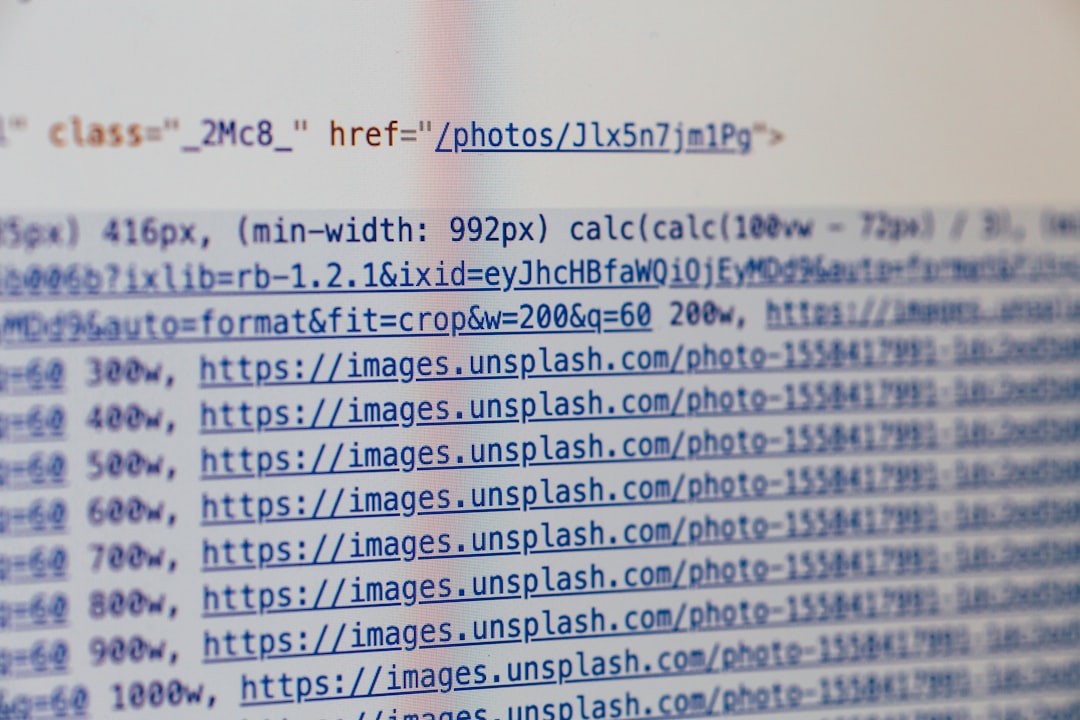
For basic images, Markdown wins on readability. For optimization features like width attributes, lazy loading, and srcset for responsive images, HTML is necessary.
The picture element for responsive images with format fallbacks requires HTML. This is one reason hybrid approaches are common for image heavy sites.
Writers cataloging wildlife images for [Strange Animals](https://strangeanimals.info) often use Markdown for the surrounding content and HTML picture elements for the images themselves, combining the readability of Markdown with the performance of modern image delivery.
## Links and References
Both formats handle links well. Markdown offers two link styles for different purposes.
Inline links. Compact and readable in short documents. The target URL appears in the source next to the link text.
Reference links. The target URL is defined separately and referenced by a label. Useful in long documents where inline URLs would clutter the prose.
```
This article covers [compression basics][basics] and [advanced topics][advanced].
[basics]: https://example.com/basics
[advanced]: https://example.com/advanced
```
HTML has only one link syntax, but attributes like rel, target, and title offer more behavioral control than standard Markdown links.
## Convert in Both Directions
Converting between formats is usually straightforward. HTML to Markdown conversion is lossy because some HTML features have no Markdown equivalent. Markdown to HTML conversion is generally lossless within a dialect.
Common conversion tools include turndown for HTML to Markdown in JavaScript, html2text for HTML to Markdown in Python, markdown it for Markdown to HTML, and Pandoc for conversion between essentially every document format.
For one off conversions, the [File Converter Free markdown to html](https://file-converter-free.com/markdown-to-html) and reverse tools handle the common cases in the browser.
## Version Control Integration
Markdown works beautifully with version control systems like Git. Text based diff and merge tools handle Markdown changes cleanly. Pull request reviews show content changes in a readable way.
HTML is also text based and works with version control, but the verbosity makes diffs harder to read. Small content changes produce large diff patches when tags move around.
For collaborative writing with version control, Markdown wins because the diffs are meaningful. Teams working on study material at [Pass4Sure](https://pass4-sure.us) that tracks content changes through Git branches favor Markdown for exactly this reason.
> "Write Markdown so your colleagues can review your changes, not your syntax." -- Steven Hoober, mobile UX researcher
## SEO and Metadata
HTML has explicit metadata tags for SEO and social sharing. meta tags describe the page, title tags show in tabs and search results, and open graph tags control how content appears when shared on social media.
Markdown typically handles metadata through YAML or TOML front matter at the top of the file. Static site generators use front matter to populate the corresponding HTML metadata tags during build.
```
---
title: Article Title
description: Short summary for search and social
image: /images/hero.jpg
---
Actual Markdown content follows.
```
This pattern keeps the authoring experience clean while generating rich metadata for the HTML output.
## Responsive Design and Styling
Markdown has no concept of styling. The rendered HTML is styled entirely through CSS applied at the HTML level. This is usually a feature, not a bug. Consistency across content comes from a single stylesheet rather than inline styles in each document.
HTML can include style attributes and style blocks for precise per element control. For most content, this is overkill. Authors should write HTML structure and let CSS handle presentation.
## Mobile Writing
Mobile Markdown editors are excellent. iA Writer on iOS, JotterPad on Android, and web based tools like StackEdit let writers work productively on phones and tablets.
Mobile HTML editing is painful. Tag heavy syntax and constant context switching to type special characters make phone based HTML authoring rarely worth the effort.
For the common case of capturing thoughts and drafting content on mobile, Markdown wins decisively. Writers logging cafe observations through [Down Under Cafe](https://downundercafe.com) typically use mobile Markdown apps to capture notes that later become blog posts.
## Long Term Durability
Both formats have excellent long term durability. HTML is backed by W3C and WHATWG with multi decade commitment to backward compatibility. Markdown is simple enough that parsing a Markdown file from 2004 still works today.
The bigger durability risk is platform specific Markdown extensions. A document using GitHub specific syntax may render strangely elsewhere. Writing in CommonMark or original Markdown keeps the content portable across platforms.
## Real World Recommendations
Five recommendations cover most use cases.
For personal notes and draft writing, use Markdown in a dedicated editor like Obsidian, Typora, or VS Code. The minimal syntax stays out of the way.
For team documentation, use GitHub Flavored Markdown in a wiki, repository, or documentation site. GFM covers the common needs with broad compatibility.
For published articles on a static site, use Markdown with YAML front matter and a site generator that handles the conversion. Drop into HTML for the rare complex element.
For a complex marketing page, a forms heavy tool, or anything with non trivial interactivity, write HTML directly. Markdown is the wrong tool for the job.
For converting an existing document between formats, use Pandoc. It handles edge cases that simpler tools miss.
## QR Codes and Short Content
Markdown's compactness extends to very short content. A product description in Markdown fits into smaller display contexts than the equivalent HTML. Some documentation services let writers encode short Markdown snippets into QR codes for shareable micro content.
The free [qr-bar-code.com](https://qr-bar-code.com) generator handles small Markdown snippets in QR form for workshop handouts, event badges, and similar use cases where printed materials point to digital content.
## Format Interoperability in Practice
The practical takeaway is that Markdown and HTML are complements, not competitors. Most writers benefit from knowing both. Markdown handles 80 percent of authoring needs with less friction. HTML handles the remaining 20 percent that Markdown cannot express.
A writer fluent in both can move between them smoothly, using each where it shines. The right question is not which format to use, but which format to use for each specific piece of content within a larger project.
## References
1. Gruber, J. (2004). Markdown syntax documentation. https://daringfireball.net/projects/markdown
2. MacFarlane, J., et al. (2019). CommonMark Specification 0.30. https://commonmark.org
3. W3C (2014). HTML 5 A vocabulary and associated APIs for HTML and XHTML. W3C Recommendation.
4. WHATWG (2024). HTML Living Standard. https://html.spec.whatwg.org
5. GitHub (2017). GitHub Flavored Markdown Specification. https://github.github.com/gfm
6. Atwood, J. (2012). The future of Markdown. Coding Horror blog.
7. Dominici, M. (2014). An overview of Pandoc. TUGboat 35(1). https://www.tug.org/TUGboat/tb35 1
```
For basic images, Markdown wins on readability. For optimization features like width attributes, lazy loading, and srcset for responsive images, HTML is necessary.
The picture element for responsive images with format fallbacks requires HTML. This is one reason hybrid approaches are common for image heavy sites.
Writers cataloging wildlife images for [Strange Animals](https://strangeanimals.info) often use Markdown for the surrounding content and HTML picture elements for the images themselves, combining the readability of Markdown with the performance of modern image delivery.
## Links and References
Both formats handle links well. Markdown offers two link styles for different purposes.
Inline links. Compact and readable in short documents. The target URL appears in the source next to the link text.
Reference links. The target URL is defined separately and referenced by a label. Useful in long documents where inline URLs would clutter the prose.
```
This article covers [compression basics][basics] and [advanced topics][advanced].
[basics]: https://example.com/basics
[advanced]: https://example.com/advanced
```
HTML has only one link syntax, but attributes like rel, target, and title offer more behavioral control than standard Markdown links.
## Convert in Both Directions
Converting between formats is usually straightforward. HTML to Markdown conversion is lossy because some HTML features have no Markdown equivalent. Markdown to HTML conversion is generally lossless within a dialect.
Common conversion tools include turndown for HTML to Markdown in JavaScript, html2text for HTML to Markdown in Python, markdown it for Markdown to HTML, and Pandoc for conversion between essentially every document format.
For one off conversions, the [File Converter Free markdown to html](https://file-converter-free.com/markdown-to-html) and reverse tools handle the common cases in the browser.
## Version Control Integration
Markdown works beautifully with version control systems like Git. Text based diff and merge tools handle Markdown changes cleanly. Pull request reviews show content changes in a readable way.
HTML is also text based and works with version control, but the verbosity makes diffs harder to read. Small content changes produce large diff patches when tags move around.
For collaborative writing with version control, Markdown wins because the diffs are meaningful. Teams working on study material at [Pass4Sure](https://pass4-sure.us) that tracks content changes through Git branches favor Markdown for exactly this reason.
> "Write Markdown so your colleagues can review your changes, not your syntax." -- Steven Hoober, mobile UX researcher
## SEO and Metadata
HTML has explicit metadata tags for SEO and social sharing. meta tags describe the page, title tags show in tabs and search results, and open graph tags control how content appears when shared on social media.
Markdown typically handles metadata through YAML or TOML front matter at the top of the file. Static site generators use front matter to populate the corresponding HTML metadata tags during build.
```
---
title: Article Title
description: Short summary for search and social
image: /images/hero.jpg
---
Actual Markdown content follows.
```
This pattern keeps the authoring experience clean while generating rich metadata for the HTML output.
## Responsive Design and Styling
Markdown has no concept of styling. The rendered HTML is styled entirely through CSS applied at the HTML level. This is usually a feature, not a bug. Consistency across content comes from a single stylesheet rather than inline styles in each document.
HTML can include style attributes and style blocks for precise per element control. For most content, this is overkill. Authors should write HTML structure and let CSS handle presentation.
## Mobile Writing
Mobile Markdown editors are excellent. iA Writer on iOS, JotterPad on Android, and web based tools like StackEdit let writers work productively on phones and tablets.
Mobile HTML editing is painful. Tag heavy syntax and constant context switching to type special characters make phone based HTML authoring rarely worth the effort.
For the common case of capturing thoughts and drafting content on mobile, Markdown wins decisively. Writers logging cafe observations through [Down Under Cafe](https://downundercafe.com) typically use mobile Markdown apps to capture notes that later become blog posts.
## Long Term Durability
Both formats have excellent long term durability. HTML is backed by W3C and WHATWG with multi decade commitment to backward compatibility. Markdown is simple enough that parsing a Markdown file from 2004 still works today.
The bigger durability risk is platform specific Markdown extensions. A document using GitHub specific syntax may render strangely elsewhere. Writing in CommonMark or original Markdown keeps the content portable across platforms.
## Real World Recommendations
Five recommendations cover most use cases.
For personal notes and draft writing, use Markdown in a dedicated editor like Obsidian, Typora, or VS Code. The minimal syntax stays out of the way.
For team documentation, use GitHub Flavored Markdown in a wiki, repository, or documentation site. GFM covers the common needs with broad compatibility.
For published articles on a static site, use Markdown with YAML front matter and a site generator that handles the conversion. Drop into HTML for the rare complex element.
For a complex marketing page, a forms heavy tool, or anything with non trivial interactivity, write HTML directly. Markdown is the wrong tool for the job.
For converting an existing document between formats, use Pandoc. It handles edge cases that simpler tools miss.
## QR Codes and Short Content
Markdown's compactness extends to very short content. A product description in Markdown fits into smaller display contexts than the equivalent HTML. Some documentation services let writers encode short Markdown snippets into QR codes for shareable micro content.
The free [qr-bar-code.com](https://qr-bar-code.com) generator handles small Markdown snippets in QR form for workshop handouts, event badges, and similar use cases where printed materials point to digital content.
## Format Interoperability in Practice
The practical takeaway is that Markdown and HTML are complements, not competitors. Most writers benefit from knowing both. Markdown handles 80 percent of authoring needs with less friction. HTML handles the remaining 20 percent that Markdown cannot express.
A writer fluent in both can move between them smoothly, using each where it shines. The right question is not which format to use, but which format to use for each specific piece of content within a larger project.
## References
1. Gruber, J. (2004). Markdown syntax documentation. https://daringfireball.net/projects/markdown
2. MacFarlane, J., et al. (2019). CommonMark Specification 0.30. https://commonmark.org
3. W3C (2014). HTML 5 A vocabulary and associated APIs for HTML and XHTML. W3C Recommendation.
4. WHATWG (2024). HTML Living Standard. https://html.spec.whatwg.org
5. GitHub (2017). GitHub Flavored Markdown Specification. https://github.github.com/gfm
6. Atwood, J. (2012). The future of Markdown. Coding Horror blog.
7. Dominici, M. (2014). An overview of Pandoc. TUGboat 35(1). https://www.tug.org/TUGboat/tb35 1
Article Title
The quick brown fox jumps over the lazy dog.
- First point
- Second point
- Third point
Warning: This section contains advanced material.
Another paragraph in Markdown.
```
This pattern is standard in most static site generators. The Markdown handles the bulk of the content while HTML handles the exceptions.
## The Dialect Problem
Markdown is not a single standard. Multiple dialects exist, each with different extensions and edge cases.
Original Markdown. John Gruber's 2004 specification. The baseline that other dialects extend.
CommonMark. An effort by John MacFarlane, Jeff Atwood, and others to standardize the ambiguous parts of original Markdown. Close to a de facto standard.
GitHub Flavored Markdown. GitHub's dialect built on CommonMark with extensions for tables, task lists, strikethrough, and automatic URL detection. Widely adopted because of GitHub's reach.
MultiMarkdown. An academic focused extension with footnotes, citations, mathematical notation, and metadata.
Markdown Extra. Adds definition lists, abbreviations, footnotes, and tables to original Markdown.
Pandoc Markdown. The most feature rich dialect, with support for LaTeX math, bibliographic references, attribute blocks, and many other advanced features.
The table below shows feature support across major dialects.
| Feature | Gruber | CommonMark | GFM | Pandoc |
|---------|:------:|:----------:|:---:|:------:|
| Basic formatting | Yes | Yes | Yes | Yes |
| Tables | No | No | Yes | Yes |
| Task lists | No | No | Yes | Yes |
| Footnotes | No | No | No | Yes |
| Math | No | No | Partial | Yes |
| Attributes | No | No | No | Yes |
Picking a dialect is part of picking a tool. GitHub Flavored Markdown is the safe default for most projects because it is widely supported and familiar to developers. Pandoc Markdown is the richest option for authors who need academic features.
> "The best Markdown is the Markdown that renders correctly where your readers will read it. Pick the dialect of your platform, not the richest dialect you can find." -- Jeff Atwood, Discourse cofounder
## Performance and File Size
Markdown files are smaller than equivalent HTML files for readable content. The size difference is typically 20 to 40 percent.
For static sites, this matters less than one might expect. The Markdown is converted to HTML at build time, and the HTML is what gets served. The size of the source files affects storage and editing workflow but not delivery performance.
For content delivery where the conversion happens at request time, such as rendering user comments from Markdown to HTML on every page load, conversion cost matters. Cached rendering is standard practice to avoid reconversion on every request.
## Security Considerations
Accepting user submitted Markdown and rendering it as HTML is a potential XSS vector if not handled carefully. Naive implementations that pass through HTML embedded in Markdown let attackers inject scripts.
Safe Markdown rendering uses a whitelist of allowed HTML tags and attributes. Libraries like DOMPurify and sanitize html enforce whitelists post rendering. Some Markdown libraries like markdown it and commonmark have built in sanitizers.
For user generated content on social platforms, public forums, and commenting systems, whitelist based sanitization is essential. For author generated content on static sites, the threat model is different because authors are trusted.
## Tooling Landscape
Both formats have rich tooling ecosystems.
Markdown editors. VS Code with the Markdown All in One extension. Typora for distraction free writing. Obsidian for note taking with linked notes. iA Writer for focused authoring. Ghostwriter on Linux. Bear on iOS and macOS.
HTML editors. Every code editor handles HTML. Visual editors like Adobe Dreamweaver, WYSIWYG tools like TinyMCE, and modern component based tools like Storybook all have their place.
Converters. Pandoc converts Markdown to essentially every document format including Word, PDF, and LaTeX. Markdown it and commonmark are popular JavaScript converters. The free [File Converter Free markdown converter](https://file-converter-free.com/markdown-to-html) handles Markdown to HTML conversion online for one off needs.
Static site generators. Hugo, Jekyll, Astro, Gatsby, Eleventy, Next.js, and dozens of others consume Markdown and produce HTML sites.
## Writing Workflow Differences
The writing experience differs substantially between the formats.
Markdown writing feels like writing. The visual noise of tags disappears, and the text flows naturally. Hitting a formatting shortcut like bold wraps text in asterisks without breaking the reading flow. The source file is readable without rendering.
HTML writing feels like programming. Tags demand closing tags. Attributes need quoting. The visual noise interrupts reading the source. HTML is typically written with syntax highlighting and auto completion to mitigate the burden.
For drafting, Markdown wins for most writers. For precision work where specific tags matter, HTML wins.
## Content Management Systems
Content management systems handle the Markdown versus HTML tension differently.
WordPress stores content as HTML internally, with a Markdown plugin for authors who prefer writing in Markdown. The plugin converts Markdown to HTML on save.
Ghost stores content as Markdown with HTML fallback. Authors can mix both in the editor. The output is always HTML.
Contentful and similar headless CMS systems typically store rich text in a structured JSON format that converts to HTML or Markdown at delivery time. Authors work in a visual editor that produces the underlying structure.
Static site generators like Hugo store content as Markdown files in a Git repository. The build process converts to HTML. This pattern is popular with developer focused sites because the content is versioned alongside code.
Researchers documenting cognitive experiments through [What's Your IQ](https://whats-your-iq.com) typically use Markdown for article content because the native format of their static site generator is Markdown with HTML embedded where interactive assessments are needed.
## Tables and Complex Content
Tables are the first place where Markdown's limitations become frustrating. Basic Markdown tables handle simple data well but break down for anything more complex.
Markdown basic table:
```
| Name | Age | City |
|------|-----|------|
| Alice | 34 | Sydney |
| Bob | 29 | Melbourne |
```
That works for a grid of simple values. For merged cells, nested content, conditional formatting, or captions, you need HTML.
For content with many complex tables, HTML is the better choice despite the verbosity. Some Markdown dialects and extensions add table features, but the portability of extensions is limited.
## Syntax Highlighting and Code Blocks
Both formats support code blocks, but the experience differs.
Markdown uses triple backticks to fence code blocks, with an optional language hint after the opening fence. Most renderers pass the language hint to a syntax highlighter like highlight.js or Prism.
```
function hello() {
  console.log("Hello");
}
```
HTML uses pre and code tags. Adding a class specifies the language for highlighting.
```
function hello() {
console.log("Hello");
}
Frequently Asked Questions
Can markdown replace html completely?
No. Markdown cannot express complex layouts, forms, interactive elements, or precise styling. It is a writing format, not a full web technology.
Is markdown a single standard?
No. Multiple dialects exist including CommonMark, GFM, MultiMarkdown, and Markdown Extra. CommonMark is the closest to a standard.
Which editors support markdown best?
VS Code, Typora, Obsidian, Ghostwriter, and iA Writer all handle markdown well. Most code editors ship with syntax highlighting built in.
Related Articles
Ready to Convert Your Files?
Use our free online file converter supporting 240+ formats. No signup required, fast processing, and secure handling of your files.
Convert Files